Agentforce 开发概览
Agentforce 是 Salesforce 平台上的 Agent 驱动层,帮助你部署能够与员工协同工作的 AI Agent,实现 7×24 小时的客户服务。本章包含四个完整实战示例,从零开始带你构建和部署 AI Agent:
- Apex 自定义动作 —— 通过自定义 Apex 类处理复杂产品库存查询,包含数据导入、Apex 开发、Agent 配置、权限设置、测试激活的完整流程
- Agent Script 客服机器人 —— 多子代理协作的客服 Agent,含入口路由器(agent_router)、身份验证子代理(Identity)和订单管理子代理(order_management),演示变量系统、Flow 集成和条件守卫
- 术语映射与知识库检索增强 —— 当产品名变更或客户使用俚语时,用 Salesforce Knowledge + Flow + Agent Script 维护轻量级新旧术语映射,在检索前翻译行话,无需重建知识库索引
- 子代理排序模式 —— 使用步骤变量(step variable)在多轮对话中强制执行子代理调用顺序,以面试筛选 Agent 为例演示状态机模式
平台概览:指南与工具
在开始构建 Agent 之前,了解平台的核心组成部分。信任层(Trust Layer)将你的数据与大语言模型(LLM)安全地连接起来。
概览指南
- Agentforce APIs 和 SDKs —— 使用各种 API 和 SDK 构建 Agentforce 解决方案
- Agentforce Actions —— 构建和增强 Agentforce 动作
开发工具
- Agent Script —— Agentforce Builder 中构建 Agent 的声明式语言
- Agentforce DX —— Salesforce CLI 和 VS Code 的 pro-code 工具链
- Prompt Builder —— 创建、管理和使用提示词模板
注意:从 2026 年 4 月开始,Agent 的 topics 更名为 subagents(子代理),功能不变。过渡期间文档中可能混用新旧术语。
Apex 代码示例:用于复杂查询的自定义 Apex 动作
本示例完整演示如何实现一个使用自定义 Apex 动作处理复杂客户查询的客服 Agent。将客户的多条件自然语言问题(如"400 美元以下的白色或灰色椅子有哪些?")转换为动态 SOQL 查询,实现对产品库存的智能检索。
通过逐个配置每个组件,你将深入理解 Apex 动作的配置方式以及各组件如何在 Agentforce 技术栈中协同工作。你可以在 Salesforce Developer 组织中跟随操作(结果可能因环境不同而有差异)。
技术栈概览:
- Salesforce CLI 从 CSV 导入产品和价格数据到 Product2、PricebookEntry
- 自定义 Apex 类
InventoryRetriever动态查询库存 - Agent + Subagent + Action 三级配置调用 Apex
- Agent 用户权限配置(对象权限 + Apex 类权限)
场景说明:产品库存查询 Agent
构建一个客服 Agent,能处理关于家具产品库存的复杂多条件查询。示例数据包含 100 条家具记录,每条含:Name、Description、SKU、Price、Color、Weight。
数据流:CSV 文件 → Salesforce CLI 批量导入 → Product2(产品信息)+ PricebookEntry(价格)→ 自定义 Apex 类动态查询 → Agent 动作调用 → 自然语言回复客户。
示例数据下载:apex-example-demo-data.csv(100 条家具数据)。
步骤 1:设置 Salesforce Developer Edition 组织
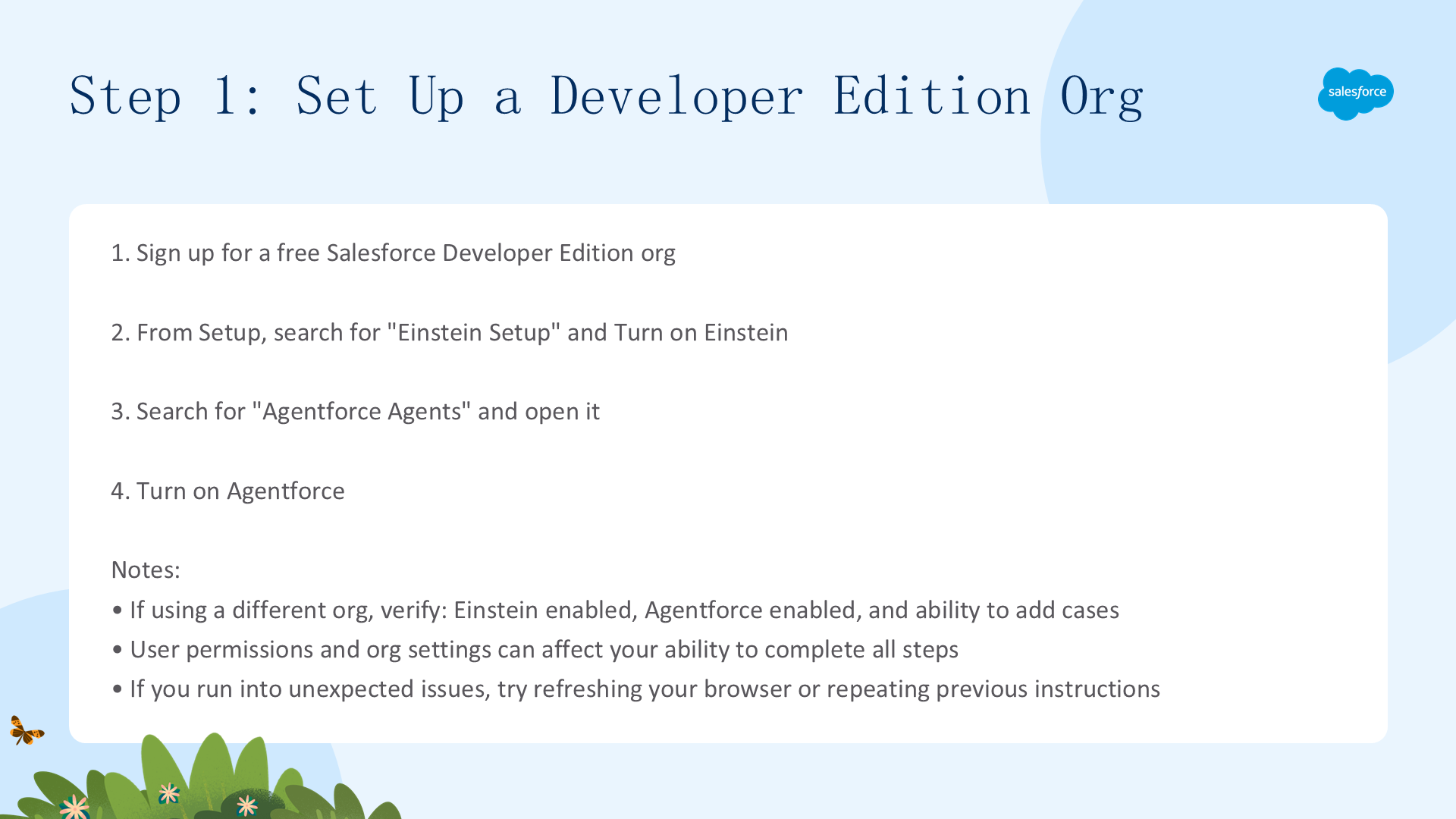
首先需要一个启用了 Einstein 和 Agentforce 的 Salesforce 组织。
注册 Developer Edition
- 前往 Developer Edition 注册页面 注册
- 登录后,从 Setup(设置)中,在 Quick Find 框中输入
Einstein Setup,选择 Einstein Setup - 启用 Turn on Einstein
- 搜索 Agentforce Agents 并打开
- 启用 Agentforce
注意:
- 如果使用现有的 Salesforce 组织,请确认 Einstein 和 Agentforce 已启用,且你有添加 Case 的权限
- 如果遇到意外问题,尝试刷新浏览器,或回到之前的步骤重试
步骤 2:导入数据
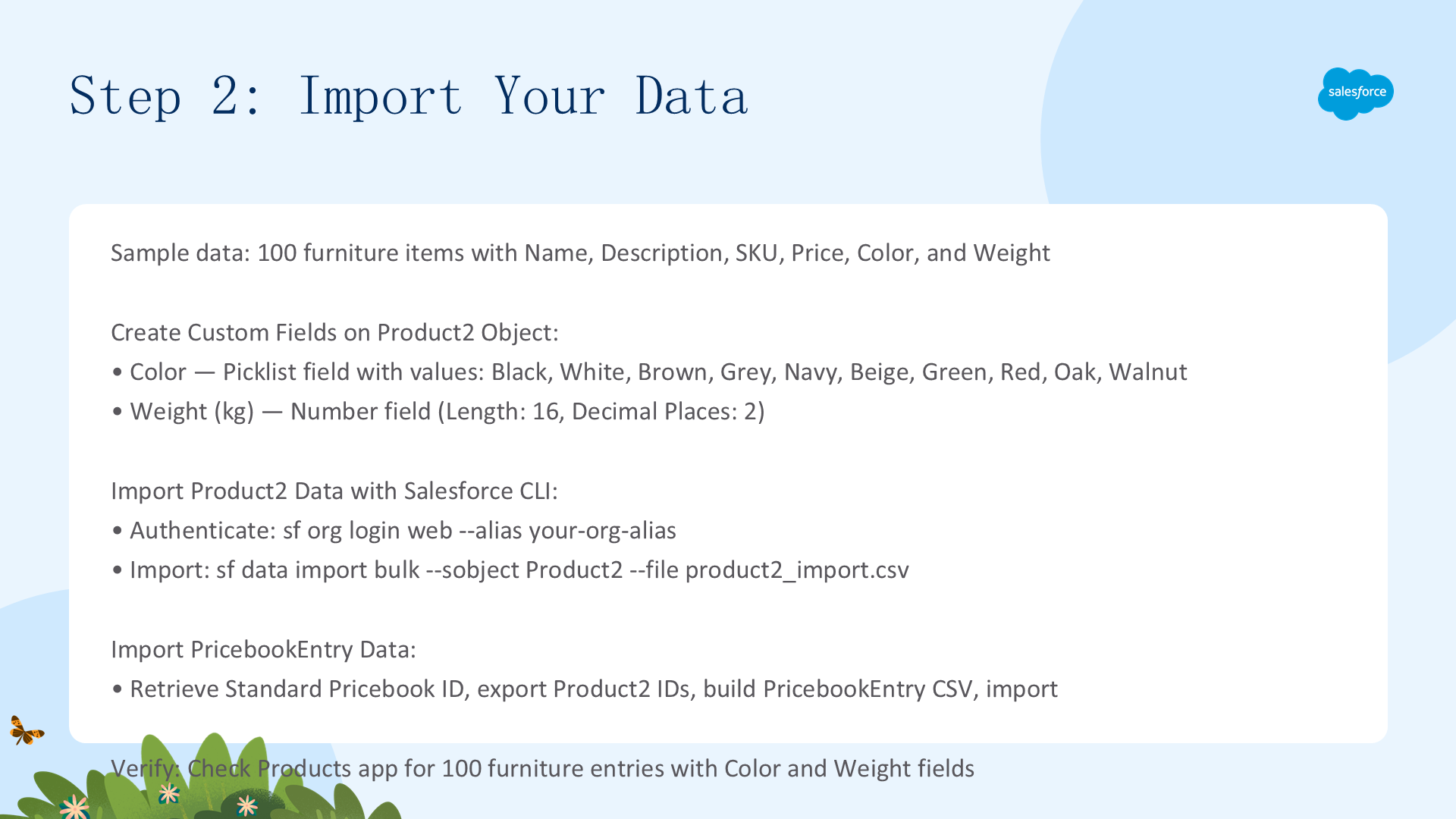
自定义 Apex 类需要查询组织内的结构化数据,因此需要先将数据导入标准的 Salesforce 对象中。
2.1 创建自定义字段
Product2 对象默认不包含 Color 和 Weight,需要先创建:
- 从 Setup 进入 Object Manager,搜索 Product(API 名 Product2)
- 点击 Fields & Relationships → New
- 创建 Color 字段:Field Type = Picklist,Label = Color,Values = Black/White/Brown/Grey/Navy/Beige/Green/Red/Oak/Walnut
- 创建 Weight (kg) 字段:Field Type = Number,Length = 16,Decimal Places = 2
- 在字段级安全设置中为你的 Profile 勾选 Visible
2.2 使用 Salesforce CLI 导入 Product2 数据
导入到 Product2 必须使用 Salesforce CLI 或 Data Loader。确保已安装 Salesforce CLI。
# 1. 认证到你的组织
sf org login web --alias your-org-alias

# 2. 导入产品数据
sf data import bulk --sobject Product2 --file /full/path/to/product2_import.csv --target-org your-org-alias --wait 10 --line-ending CRLF
2.3 导入 PricebookEntry 数据
# 1. 获取标准 Pricebook ID(保存以 "01s..." 开头的 ID)
sf data query --query "SELECT Id, Name FROM Pricebook2 WHERE IsStandard=true" --target-org your-org-alias

# 2. 导出 Product2 ID
sf data query --query "SELECT Id, ProductCode FROM Product2 ORDER BY ProductCode ASC" --target-org your-org-alias --result-format csv > /full/path/to/product2_ids.csv

# 3. 构建 PricebookEntry CSV(包含四列:Pricebook2Id, Product2Id, UnitPrice, IsActive)
#    打开原始 CSV 和 product2_ids.csv,按 ProductCode 排序后复制 ID 列
#    参考模板:pricebook_entry_import.csv

# 4. 导入 PricebookEntry
sf data import bulk --sobject PricebookEntry --file /full/path/to/pricebook_entry_import.csv --target-org your-org-alias --wait 10 --line-ending CRLF
2.4 验证数据导入
- 从 App Launcher 进入 Products 应用
- 将 List View 切换为 All Products,应看到 100 条家具数据
- 点击任一产品,Details 下应显示 Color 和 Weight (kg) 字段
- 点击 Related 标签页 → Price Books,应看到关联的价格
如果以上都看到了,说明数据导入成功。
步骤 3:创建 Apex 类
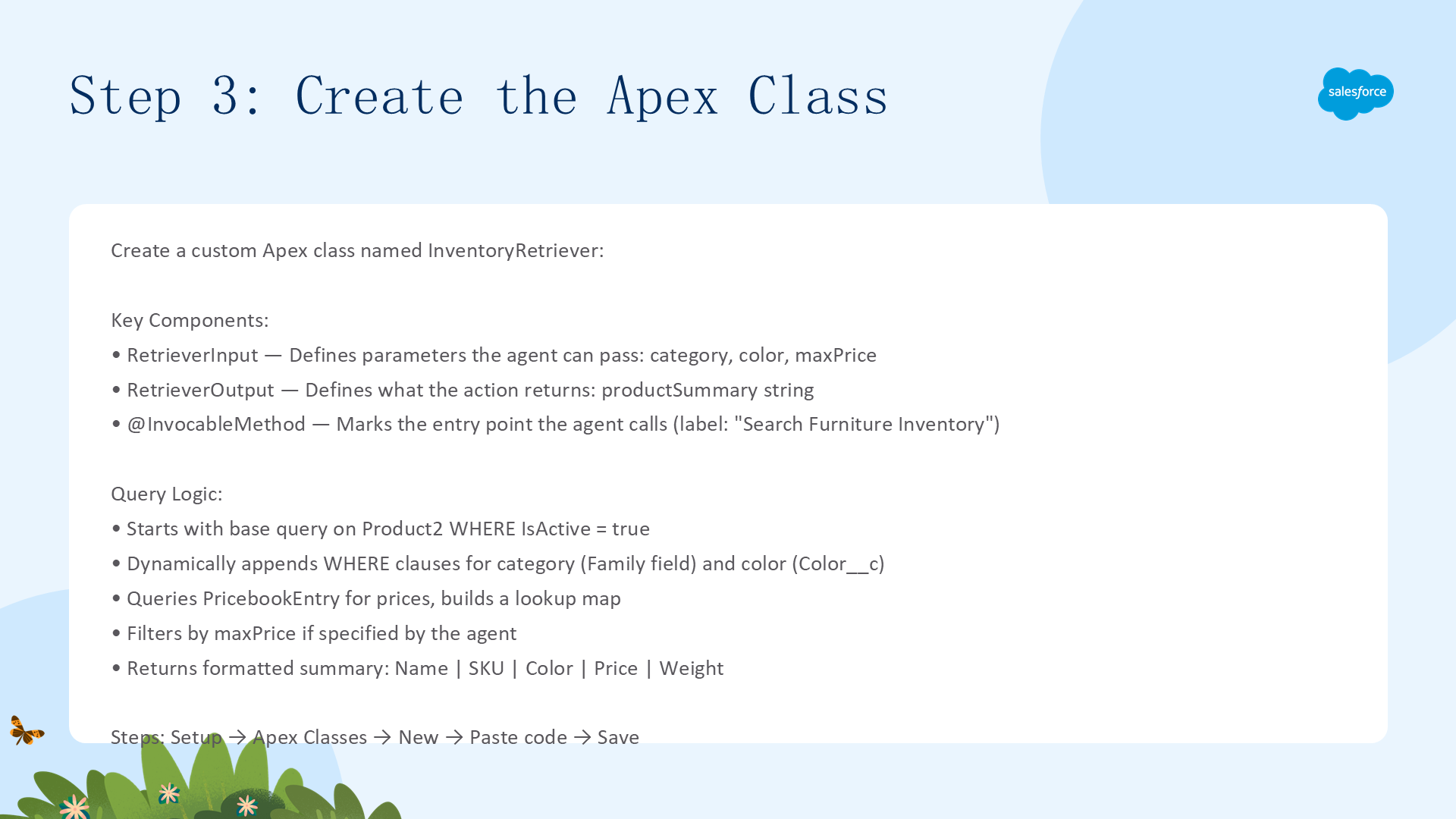
创建自定义 Apex 类 InventoryRetriever。这个类将作为 Agent 动作,接收 Agent 传入的 category、color、maxPrice 参数,动态构建 SOQL 查询并返回格式化的产品摘要。
完整代码(含详细注释)
// 此类作为 Agentforce 的 Apex Action
// 允许 AI Agent 使用自然语言搜索家具库存
public class InventoryRetriever {

    // ===== 输入参数定义 =====
    // 每个 @InvocableVariable 是 Agent 根据用户问题自动填充的字段
    // description 告诉 Agent 每个字段的含义
    public class RetrieverInput {
        @InvocableVariable(description='Product category e.g. Chair, Table, Bed, Sofa')
        public String category;

        @InvocableVariable(description='Color of the product e.g. Black, White, Navy')
        public String color;

        @InvocableVariable(description='Maximum price the customer wants to spend in dollars as a number e.g. 200')
        public Decimal maxPrice;
    }

    // ===== 输出定义 =====
    // Agent 读取 productSummary 并用它来组织对用户的回复
    public class RetrieverOutput {
        @InvocableVariable(description='A list of matching furniture products including name, SKU, color, price, and weight')
        public String productSummary;
    }

    // ===== 入口方法 =====
    // @InvocableMethod 标记为 Agent 调用的入口点
    // label 和 description 显示在 Setup 中的 Agent Action 配置界面
    @InvocableMethod(
        label='Search Furniture Inventory'
        description='Searches the furniture inventory by category, color, and max price'
    )
    public static List<RetrieverOutput> searchInventory(List<RetrieverInput> inputs) {
        // Agentforce 始终以 List 传递输入(即使只有一个调用)
        RetrieverInput input = inputs[0];

        // 将输入值复制到局部变量
        // Apex 无法在动态查询字符串中直接绑定对象属性
        String categoryFilter = input.category;
        String colorFilter = input.color;

        // 动态构建 SOQL 查询 —— 从基础查询开始,按需追加 WHERE 子句
        String query = 'SELECT Id, Name, ProductCode, Color__c, Weight_kg__c ' +
                       'FROM Product2 WHERE IsActive = true';

        // 仅当 Agent 提供了 category 时才添加过滤
        if (String.isNotBlank(categoryFilter)) {
            query += ' AND Family = :categoryFilter';
        }

        // 仅当 Agent 提供了 color 时才添加过滤
        if (String.isNotBlank(colorFilter)) {
            query += ' AND Color__c = :colorFilter';
        }

        // 执行动态查询
        List<Product2> products = Database.query(query);

        // ===== 查询价格 =====
        // 价格存在于 PricebookEntry 中(非 Product2),需要单独查询
        Set<Id> productIds = new Set<Id>();
        for (Product2 p : products) {
            productIds.add(p.Id);
        }

        // 查询标准 Pricebook 中匹配产品 ID 的价格
        // 使用 Map 按 Product ID 高效查找价格
        Map<Id, Decimal> priceMap = new Map<Id, Decimal>();
        for (PricebookEntry pbe : [
            SELECT Product2Id, UnitPrice
            FROM PricebookEntry
            WHERE Product2Id IN :productIds
            AND Pricebook2.IsStandard = true
            AND IsActive = true
        ]) {
            priceMap.put(pbe.Product2Id, pbe.UnitPrice);
        }

        // ===== 构建输出 =====
        List<String> summaries = new List<String>();
        for (Product2 p : products) {
            Decimal price = priceMap.get(p.Id);

            // 如果 Agent 指定了 maxPrice,跳过超出预算的产品
            if (input.maxPrice != null && price != null && price > input.maxPrice) {
                continue;
            }

            // 格式化产品摘要
            summaries.add(p.Name + ' | SKU: ' + p.ProductCode +
                          ' | Color: ' + p.Color__c +
                          ' | Price: $' + price +
                          ' | Weight: ' + p.Weight_kg__c + 'kg');
        }

        RetrieverOutput output = new RetrieverOutput();

        // 无结果时返回提示信息,有结果时用换行符连接所有摘要
        output.productSummary = summaries.isEmpty() ?
                                'No products found matching your criteria.' :
                                String.join(summaries, '\n');

        // Agentforce 期望输出为 List(即使只有一项)
        return new List<RetrieverOutput>{ output };
    }
}
关键设计模式
- @InvocableVariable description —— Agent 用 description 来决定如何从用户消息中提取参数值,写清楚每个字段代表什么
- 动态 SOQL —— 只在 Agent 提供参数时才追加 WHERE 条件,避免无效过滤
- 跨对象查询 —— 价格不在 Product2 上,需要单独查询 PricebookEntry 并用 Map 关联
- 空值安全 —— 在过滤前检查 maxPrice 和 price 是否为 null
步骤 4:配置子代理和动作
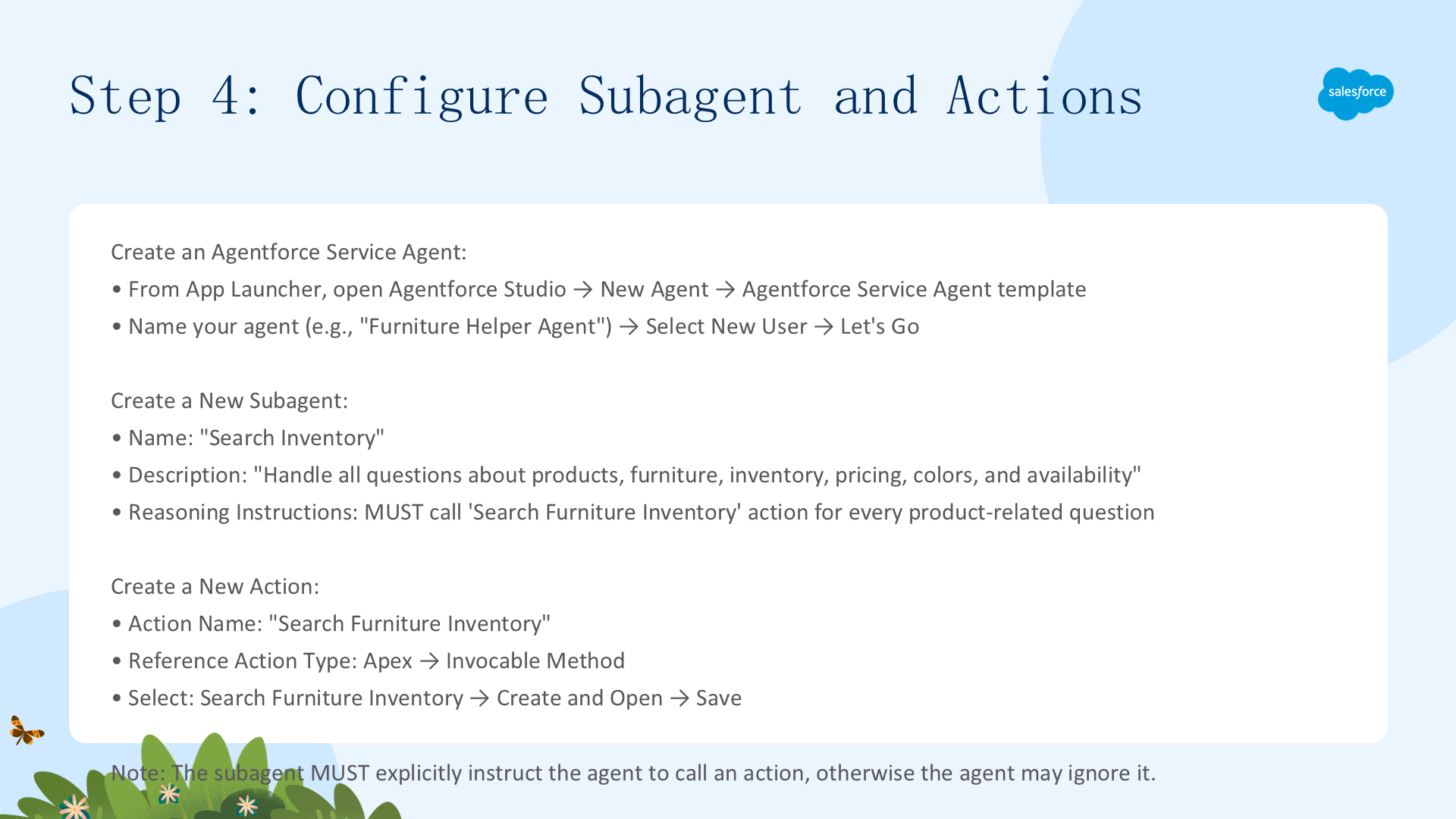
现在构建 Agent、自定义子代理和自定义动作。Agent 连接到客服渠道,收到产品库存问题时找到对应子代理,调用包含 Apex 类的动作来获取答案。
4.1 创建 Agentforce Service Agent
- 从 App Launcher 搜索
Agent,选择 Agentforce Studio 应用 - 点击 New Agent
- 选择 Agentforce Service Agent 模板
- 命名(如"Furniture Helper Agent")
- Agent 用户选择 New User
- 点击 Let's Go
4.2 创建子代理(Subagent)
- 在 Explorer 中点击 Subagents 旁的 + → New Subagent
- Subagent Name:如 "Search Inventory"
- Description:如 "Handle all questions about products, furniture, inventory, pricing, colors, and availability."
- Reasoning Instructions(推理指令),必须显式告诉 Agent 调用动作:
You MUST call the 'Search Furniture Inventory' action for every product-related question.
Pass the relevant category, color, and maxPrice values from the user's message.
Do not respond until you have received results from the action.
If the action returns no results, tell the user no matching products were found.关键提示:子代理必须在推理指令中显式告诉 Agent 调用哪个动作,否则 Agent 可能忽略该动作。这是 Agent Script 开发中最容易出错的点之一。
4.3 创建动作(Action)
- 在 Explorer 中点击新子代理旁的 + → New Action
- Action Name:Search Furniture Inventory
- Description:Searches the furniture inventory by category, color, and max price
- Reference Action Type:Apex
- Reference Action Category:Invocable Method
- Reference Action:选择 Search Furniture Inventory
- 点击 Create and Open,然后 Save
描述的重要性:Action 的 Description 至关重要 —— Agent 用它来判断是否应该执行该动作。描述越精确,Agent 越不会误调用。
步骤 5:授予 Agent 用户正确的权限
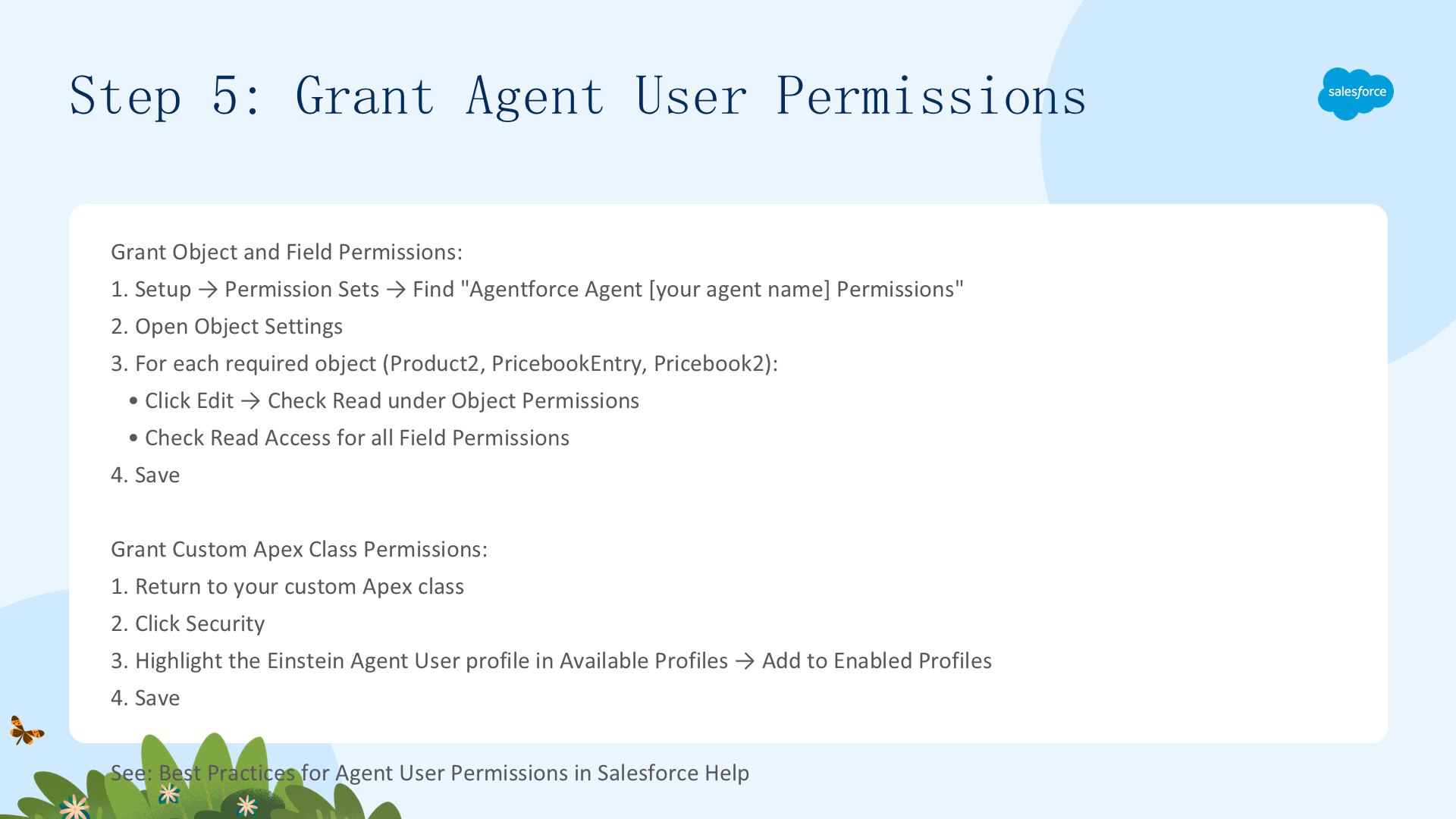
Agent 用户需要访问库存数据(Product2、PricebookEntry、Pricebook2)和执行 Apex 类的权限。没有这些权限,Agent 将无法读取数据或运行代码。
5.1 对象和字段权限
- 从 Setup 搜索
Permission Sets,选择 Permission Sets - 找到 Agentforce Agent [你的 Agent 名] Permissions(如 Agentforce Agent Furniture_Helper_Agent Permissions),点击打开
- 选择 Object Settings
- 滚动找到 API 名称为 Product2、PricebookEntry、Pricebook2 的对象,逐一打开
- 点击 Edit,在 Object Permissions 下勾选 Read,在 Field Permissions 下为所有字段勾选 Read Access
- 对所有三个对象重复此操作,点击 Save
5.2 Apex 类权限
- 返回你的自定义 Apex 类(Setup → Apex Classes → InventoryRetriever)
- 点击 Security 按钮
- 在 Available Profiles 中选中 Einstein Agent User 配置文件,点击 Add 移到 Enabled Profiles 列表
- 点击 Save
最佳实践:始终给 Agent 用户最小的必要权限。参考 Best Practices for Agent User Permissions。
步骤 6:测试 Agent
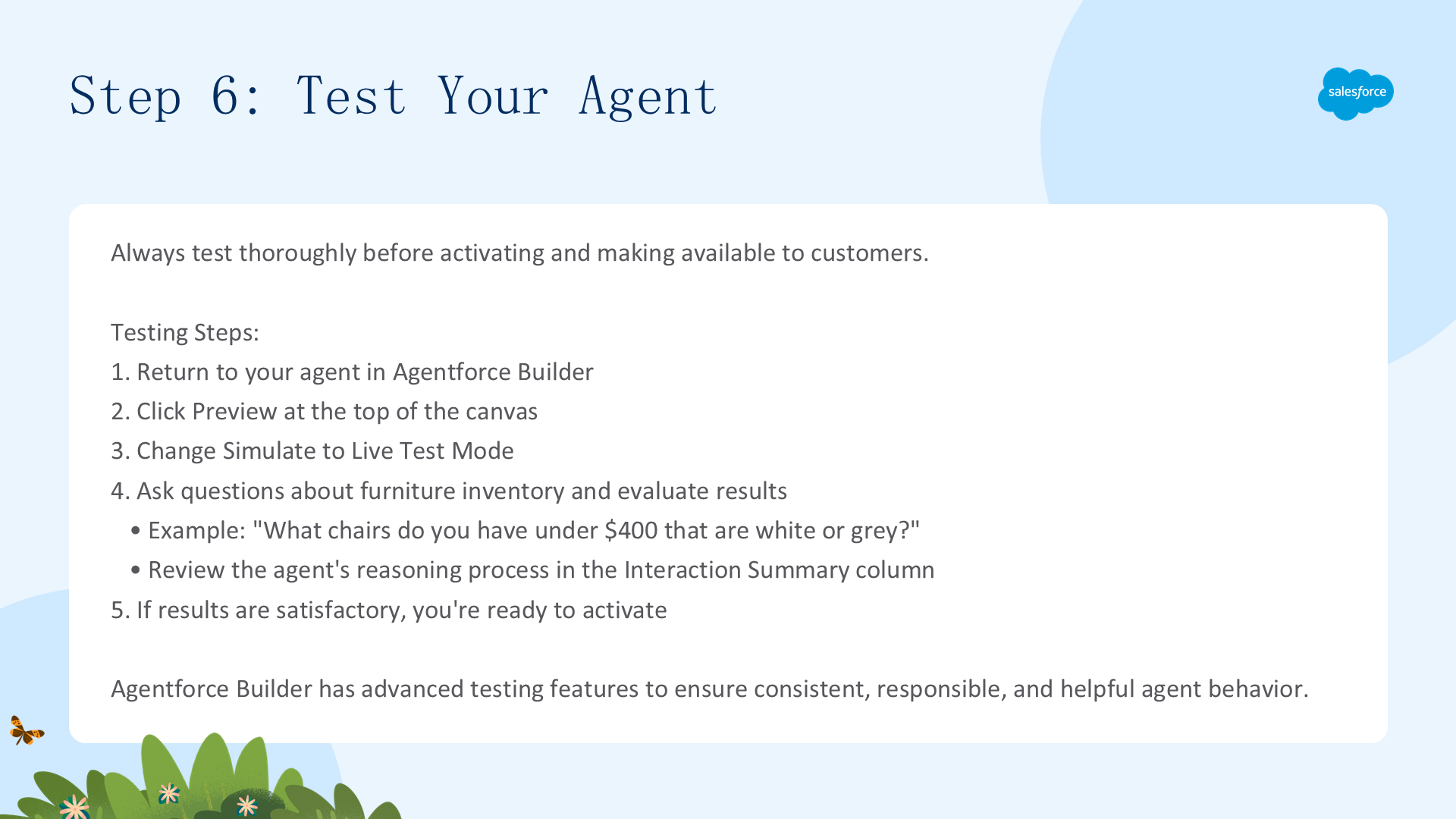
在激活和对外发布之前,务必充分测试 Agent。Agentforce Builder 提供了一套高级测试功能,确保 Agent 行为一致、负责且有用。
- 返回 Agentforce Builder 中的 Agent,点击顶部的 Preview
- 将 Simulate 切换为 Live Test Mode
- 用自然语言提问,例如:
"What chairs do you have under $400 that are white or grey?"
(你们有什么 400 美元以下的白色或灰色椅子?)- 在 Interaction Summary(交互摘要)列中观察 Agent 的推理过程:它选择了哪个子代理?传入了哪些参数?动作返回了什么?
- 如果结果满意,就可以激活 Agent 了
参考:Preview and Test in Agentforce Builder
步骤 7:保存、提交和激活
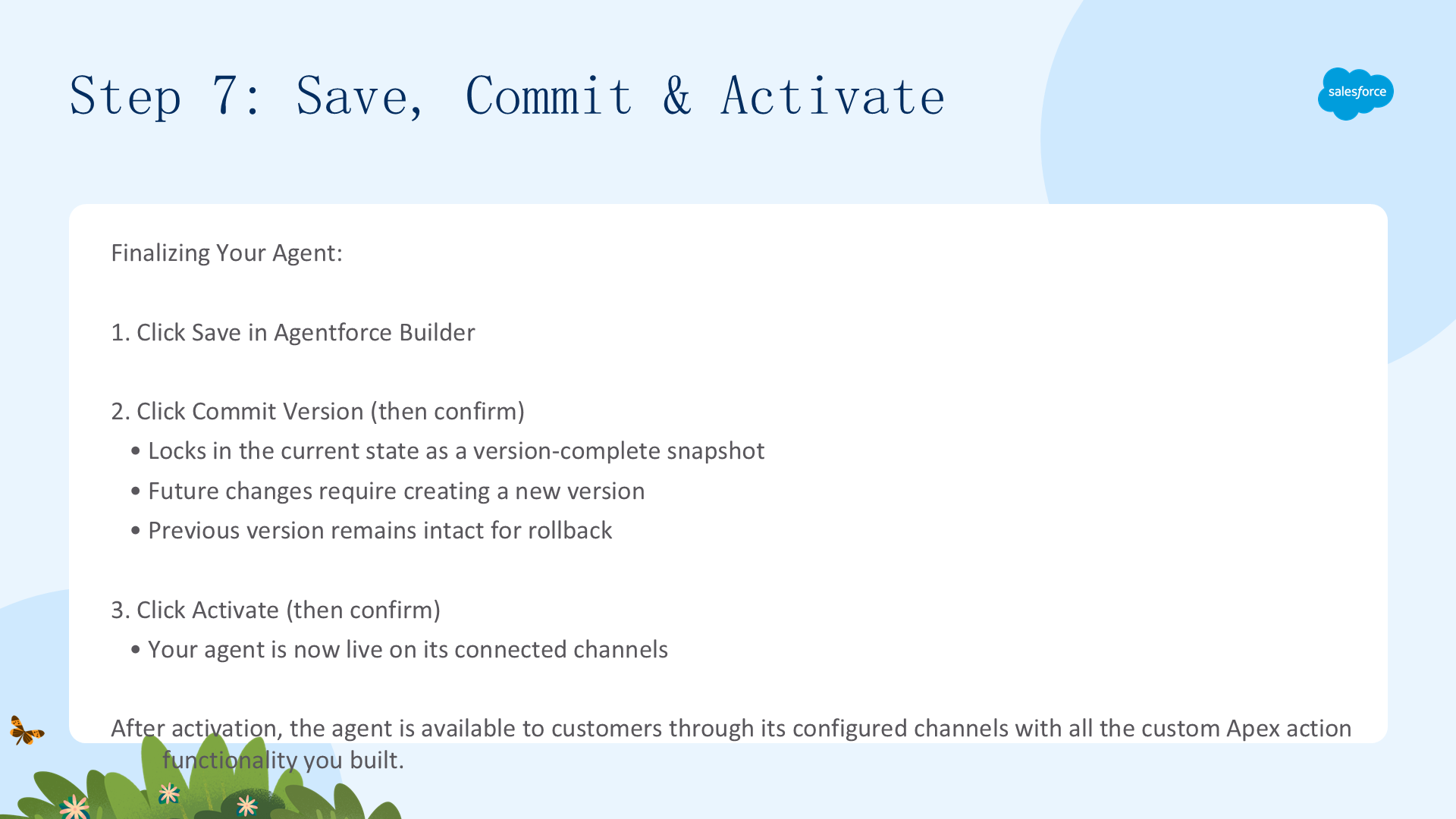
当 Agent 准备就绪后,需要保存工作并最终确定 Agent 版本。点击 Commit Version 后,当前状态被锁定为一个完整版本。后续更改需要创建新版本,旧版本保持不变以供回退。
- 在 Agentforce Builder 中点击 Save 保存所有变更
- 点击 Commit Version,再次点击确认 —— 锁定当前版本。之后如需修改,必须创建新版本
- 点击 Activate,再次点击确认 —— Agent 在连接的渠道上正式上线
版本管理提示:Commit Version 类似于 Git commit —— 每次提交都是不可变快照。如果新版本有问题,可以切回旧版本。
Agent Script 示例:客服支持 Agent
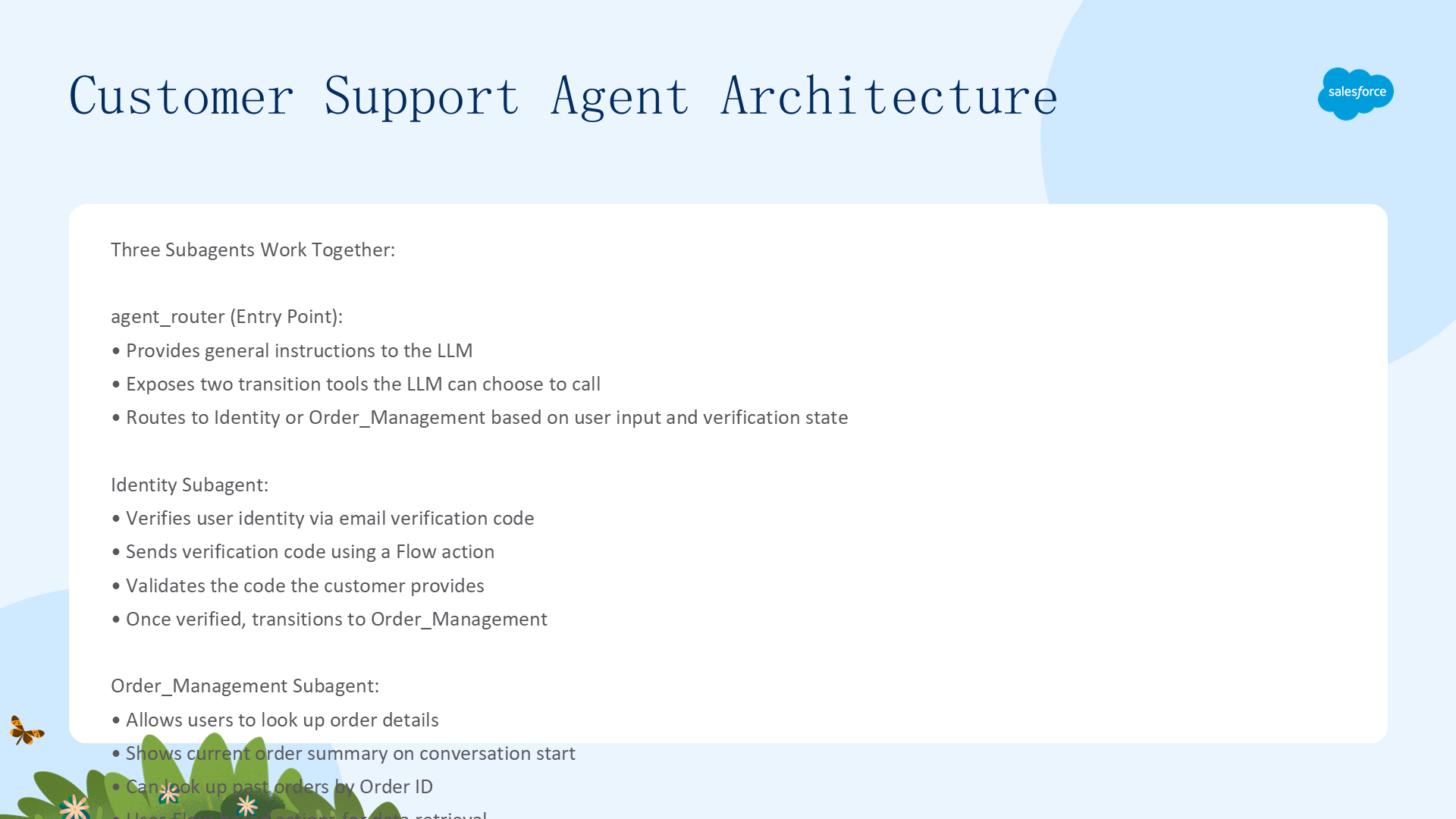
本示例展示了一个完整的客服 Agent,帮助客户获取订单信息。它包含三个子代理,分工明确、协同工作:
- agent_router —— 入口路由器。每次用户发言都从这里开始,分析意图后通过
@utils.transition跳转到合适的子代理。使用verified变量作为守卫条件 - Identity —— 身份验证子代理。请求用户邮箱(如不存在),发送验证码,验证用户身份。包含确定性工具(Flow 调用)和 LLM 自由对话的混合模式
- order_management —— 订单管理子代理。允许用户查询订单详情,支持当前订单和按 Order ID 查询历史订单
客服 Agent 架构详解
入口路由逻辑
每个用户发言(utterance)都从 agent_router 开始:
start_agent agent_router:
    description: "Welcome the user and determine the appropriate subagent based on user input"
    reasoning:
        instructions: ->
            | You are an agent router for a Customer Service Bot assistant.
              Welcome the guest and analyze their input to determine the most
              appropriate subagent to handle their request.
              NEVER escalate to a human unless explicitly requested.
              A bad experience shouldn't automatically escalate.
        actions:
            # 确定性跳转:一旦 LLM 选择使用,保证执行跳转
            go_to_identity: @utils.transition to @subagent.Identity
                description: "verifies user identity"
                available when @variables.verified == False

            go_to_order: @utils.transition to @subagent.Order_Management
                description: "Handles order lookup, refunds, order updates, and summarizes status"
                available when @variables.verified == True
守卫条件(Guard Conditions)
路由器使用 available when 来控制跳转工具的可见性:
verified == False→ 只有 go_to_identity 可用(必须验证身份)verified == True→ 只有 go_to_order 可用(已验证才能查订单)
这保证了用户必须先通过身份验证才能访问订单信息,强制执行了安全流程。
Agent Script 关键模式
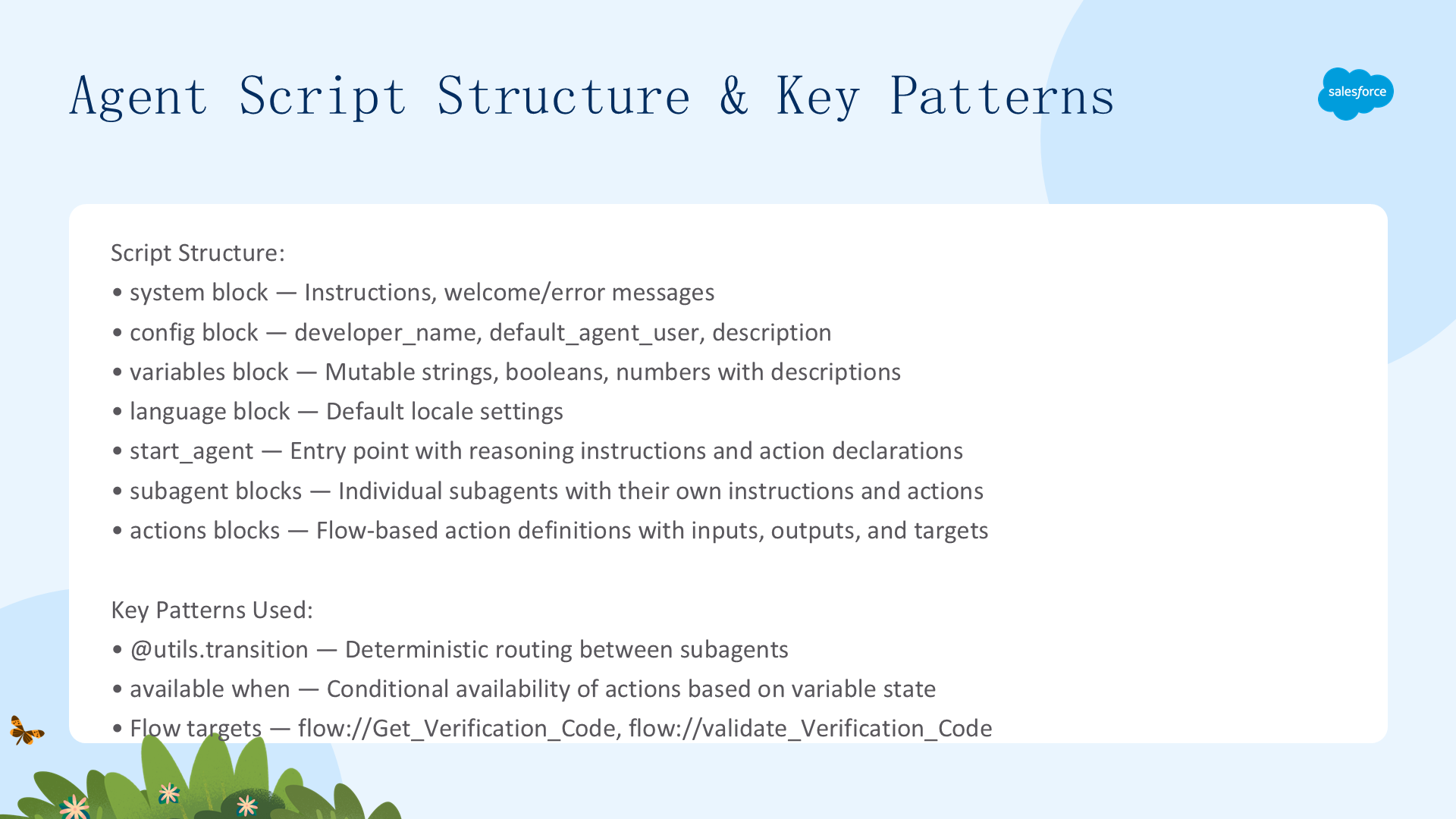
变量系统(Variables)
Agent Script 支持 mutable 变量,可在整个会话中跨子代理读写:
variables:
    # 身份验证相关
    member_name: mutable string
    member_email: mutable string = ""
    member_number: mutable string
    verification_code: mutable string
    user_verification_code: mutable string
    verified: mutable boolean = False    # 守卫变量
    first_name: mutable string
    days_since_order: mutable number

    # 订单相关
    order_id: mutable string
    order_summary: mutable string = ""
    order_canceled: mutable boolean
Flow 集成
Action 通过 target: "flow://..." 连接到 Flow:
actions:
    send_verification_code:
        description: "Send a verification code to the member"
        inputs:
            email: string
            member_number: string
        outputs:
            verification_code: string
            member_name: string
        target: "flow://Get_Verification_Code"

    validate_verification_code:
        description: "validate the verification code"
        inputs:
            verification_code: string
        outputs:
            verification: boolean
        target: "flow://validate_Verification_Code"
确定性执行 vs LLM 推理
- 确定性(Deterministic):
@utils.transition、run @actions.xxx—— 一旦触发,保证执行 - LLM 推理(Reasoning):自然语言指令中的
{!@actions.xxx}—— LLM 自行决定何时调用
Identity 子代理中用 run 确定性发送验证码(先执行),再用自然语言指令让 LLM 与用户对话("问用户验证码是什么")。这种混合模式是 Agent Script 的核心设计哲学。
Agent Script 示例:使用更新后的术语增强知识检索
Aura & Ash 是一家护肤品公司。其客服 Agent 的知识库(Data Library)使用旧产品名称(如 "Hand & Cuticle Oil"),但市场营销已将产品改名为新名称(如 "Iron Grip Rescue Fuel")。客户用新名称提问时,Agent 找不到相关信息。
核心挑战:更新和重建整个知识库索引(通常包含数千篇文章)非常耗时,且需要特殊角色权限。而行话和产品名变化很快。
本示例演示:用 Salesforce Knowledge 维护轻量级新旧术语映射表 → 通过 Flow 在每个会话开始时获取一次数据 → 注入 LLM Prompt → Agent 在查询知识库前自动将行话翻译为正确术语。业务用户(而非 IT)可以直接更新映射。
问题与解决方案详解
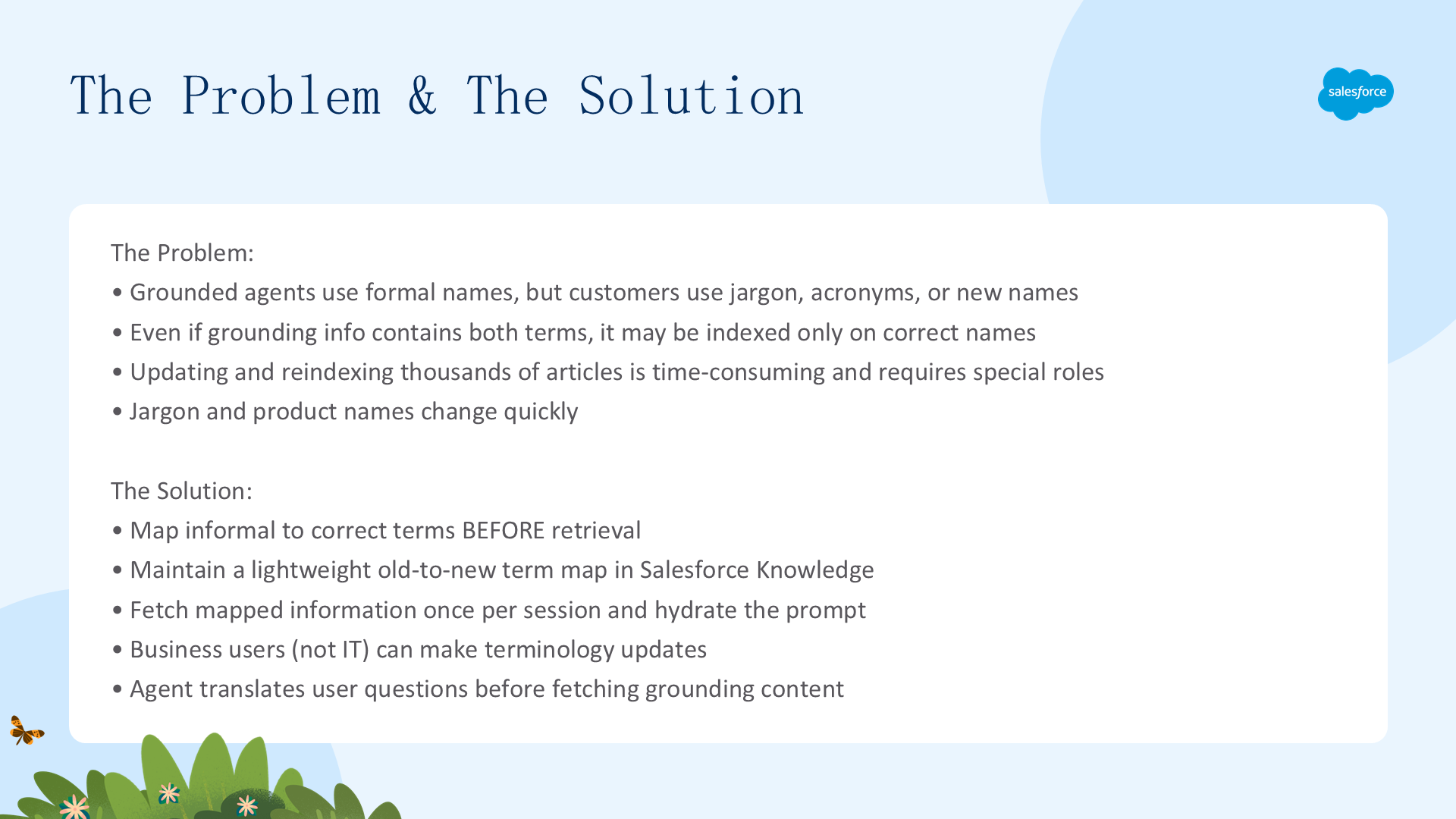
问题根源
知识库内容使用正式产品名称(Grounded Agent 依赖 Data Library 或 RAG)。但:
- 客户使用行话、缩写或新名称提问
- 即使知识库同时包含正确名称和行话,可能只索引了正式名称
- 检索器/Data Library 因此漏掉相关内容,即使正确答案确实存在于知识库中
解决方案:检索前映射
- 在 Salesforce Knowledge 中维护轻量级的新旧术语映射表(key-value 对)
- 每个会话开始时通过 Flow 获取一次映射数据,存入 Agent 变量
- 在 Prompt 中注入映射信息,告诉 Agent 先翻译行话再检索
- 业务用户可直接编辑 Knowledge Article,无需 IT 介入
适用场景
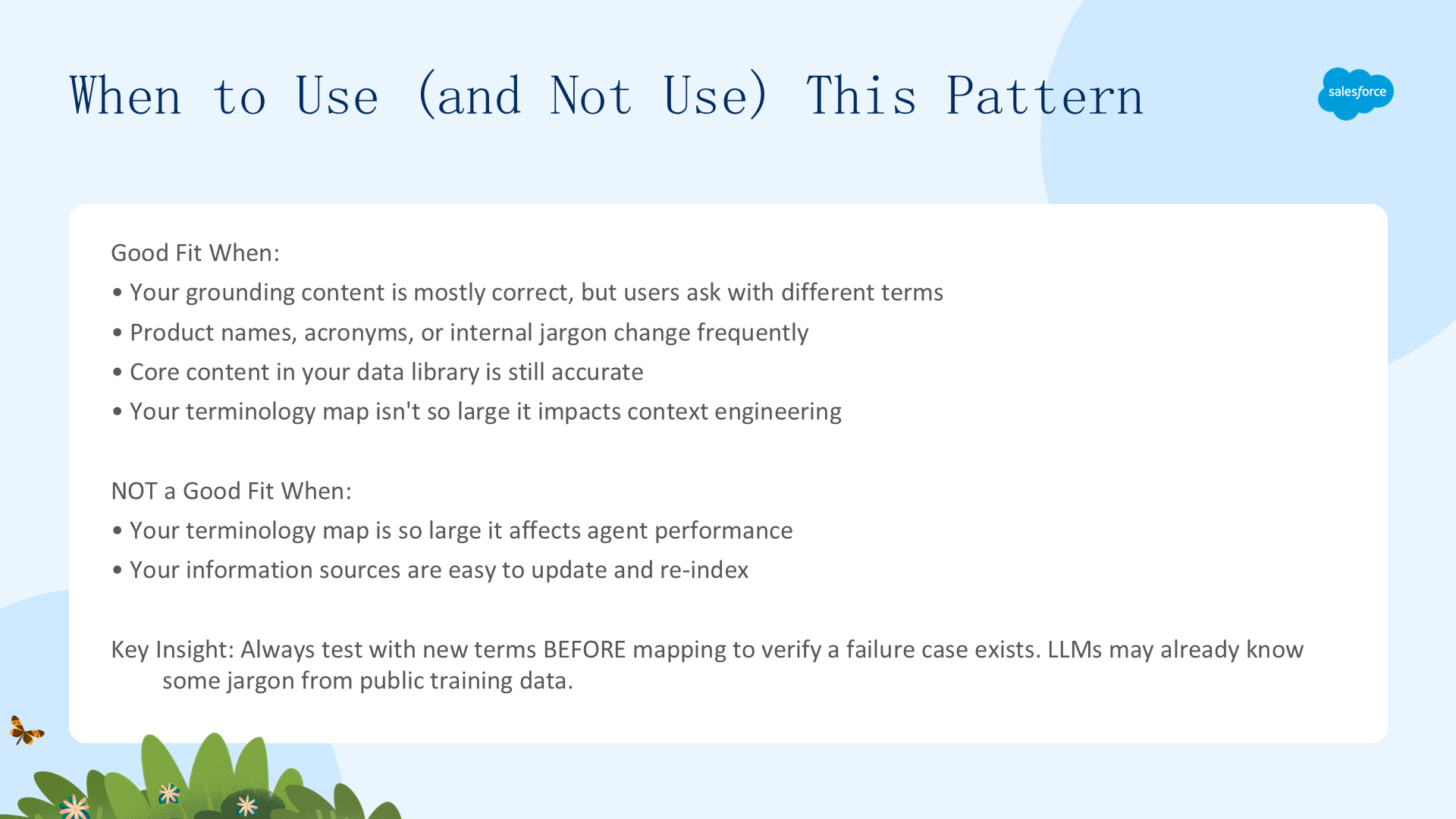
- ✅ 知识库内容基本正确,但用户用不同术语提问
- ✅ 产品名称、缩写或行业术语频繁变更,但核心内容仍然准确
- ✅ 术语映射表不大,不影响 Agent 上下文工程
- ❌ 术语表过大,开始影响 Agent 性能
- ❌ 信息源易于更新和重建索引
模式选择决策指南
决策流程图
- 用户提问中使用的术语是否与知识库索引中的术语不同?→ 是:继续;否:不需要此模式
- 核心知识库内容是否仍然准确?→ 是:此模式适合;否:先更新知识库内容
- 术语变更是否频繁?→ 是:Knowledge Article(业务用户可更新);否:可直接更新知识库
- 术语表大小是否影响性能?→ 否:继续;是:考虑其他方案(如 Data Library 重建索引)
最佳实践:先验证失败案例。在实施术语映射前,用新名称测试 Agent —— 确认它确实不认识新术语。LLM 有时能通过推理自己推断出对应关系,如果它已经能正确处理,就不需要额外映射。
设置:组织、Agent 和 Data Library
前提条件
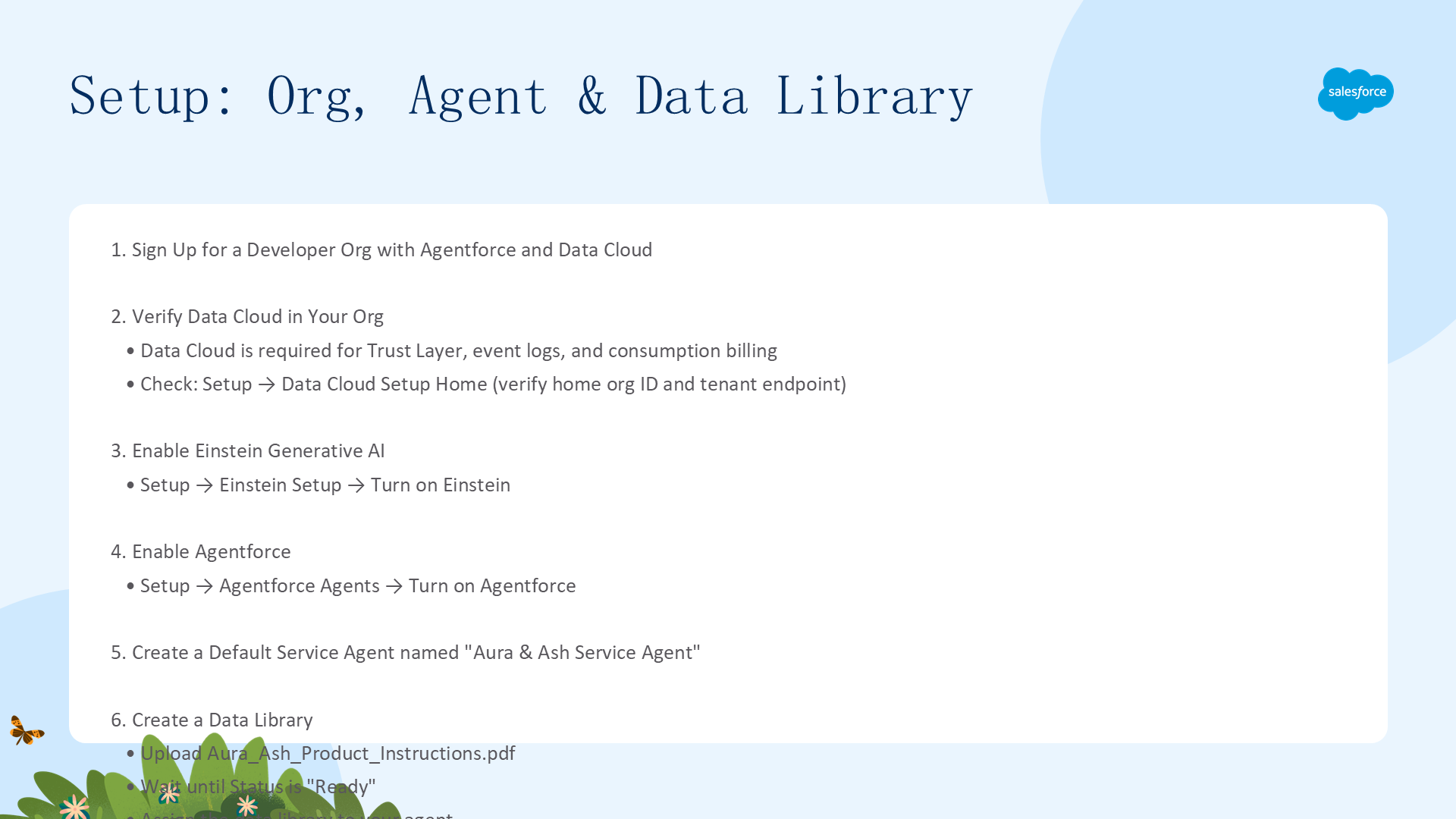
- 注册 Developer Edition 组织(含 Agentforce 和 Data Cloud)
- 验证 Data Cloud:Setup → 搜索
Data Cloud→ Data Cloud Setup Home → 确认有 home org ID - 启用 Einstein:Setup → Einstein Setup → Turn on Einstein
- 启用 Agentforce:Setup → Agentforce Agents → Turn on Agentforce
创建 Data Library 并上传 PDF
- 下载 Aura_Ash_Product_Instructions.pdf(使用旧产品名的护肤产品说明)
- Setup → 搜索
Data Library→ Agentforce Data Library → New Library - Name:
Aura and Ash Products,Description: 相关描述 - Data Type: Files,上传 PDF,等待 Status 变为
Ready
将 Data Library 分配给 Agent
- 在 Agent 的 Explorer 中展开 Data → Data Library
- 选择 Aura & Ash Products,Show Sources 保持 disabled
- 点击 Save
验证基线(Baseline Test)
在添加术语映射前,用新名称测试 Agent:输入 "How do I use Iron Grip Rescue Fuel?" → Agent 应返回"无法帮助"的回复。这确认了问题确实存在,术语映射方案是必要的。
使用 Salesforce Knowledge 创建术语映射
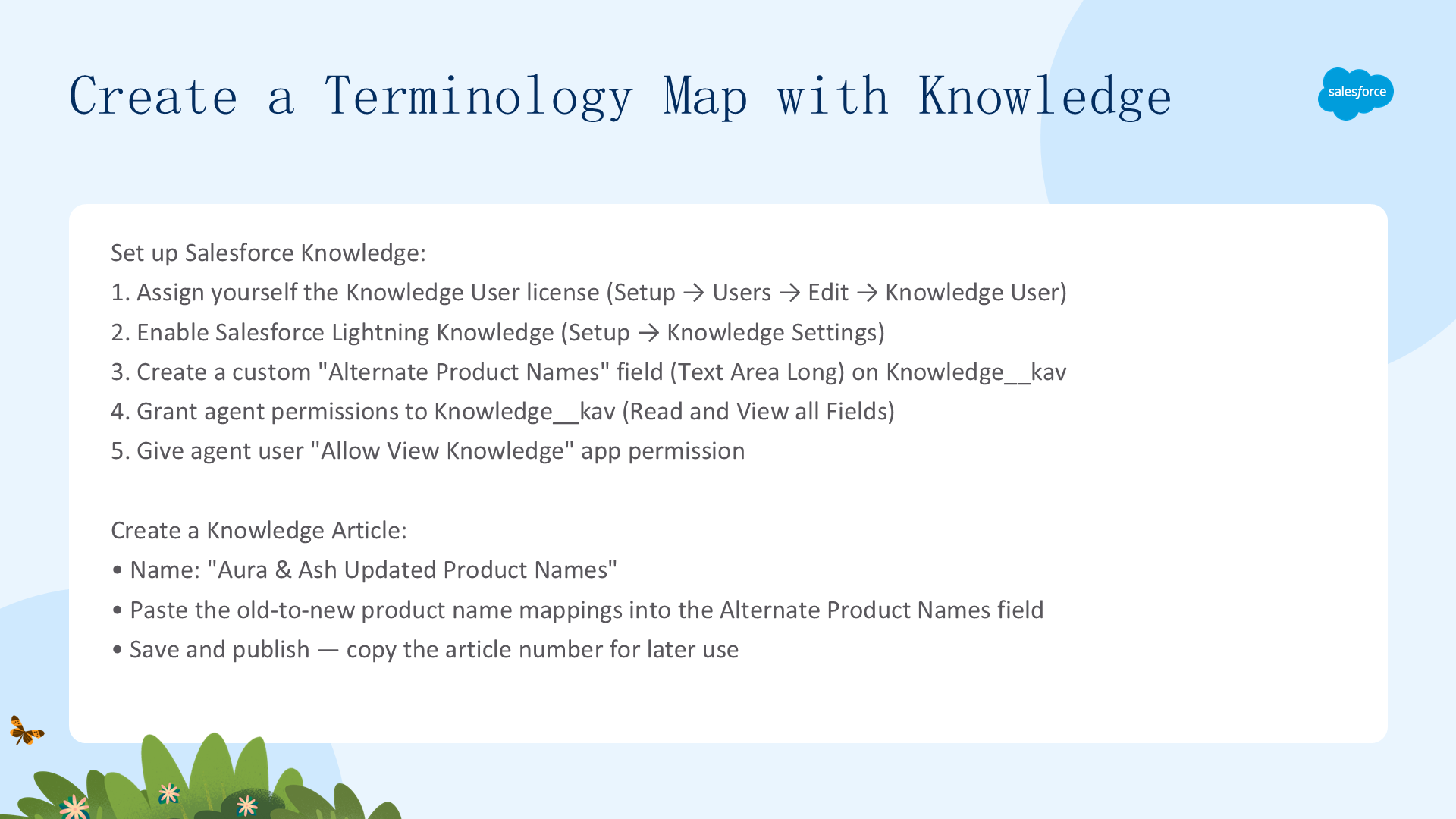
创建一个包含新旧产品名称映射的 Knowledge Article。业务用户可以随时更新这个 Article,无需 IT 支持。
Knowledge 设置步骤
- 分配 Knowledge User 许可证:Setup → Users → 编辑你的用户 → 勾选 Knowledge User → Save
- 启用 Knowledge:Setup → Knowledge Settings → 勾选确认 → Enable Salesforce Lightning Knowledge
- 创建自定义字段:Object Manager → Knowledge (Knowledge__kav) → Fields & Relationships → New → Text Area (Long) → Label: Alternate Product Names → Visible Lines: 40 → 确保 Einstein Agent User 可见 → 添加到 Knowledge Layout
权限配置
- Agent 权限集 → Object Settings → Knowledge (Knowledge__kav) → Edit → Object Permissions: Read + View all Fields
- Service User 权限集 → App Permissions → 勾选 Allow View Knowledge
创建 Knowledge Article
- 下载 Aura_Ash_New_Names.pdf(新旧名称映射表)
- App Menu → Knowledge → New → 命名 "Aura & Ash Updated Product Names"
- 在 Alternate Product Names 字段中粘贴 PDF 的全部内容
- Save → Publish(发布)→ 复制 Article Number(后续 Flow 中需要使用)
创建 Flow 获取 Knowledge Article
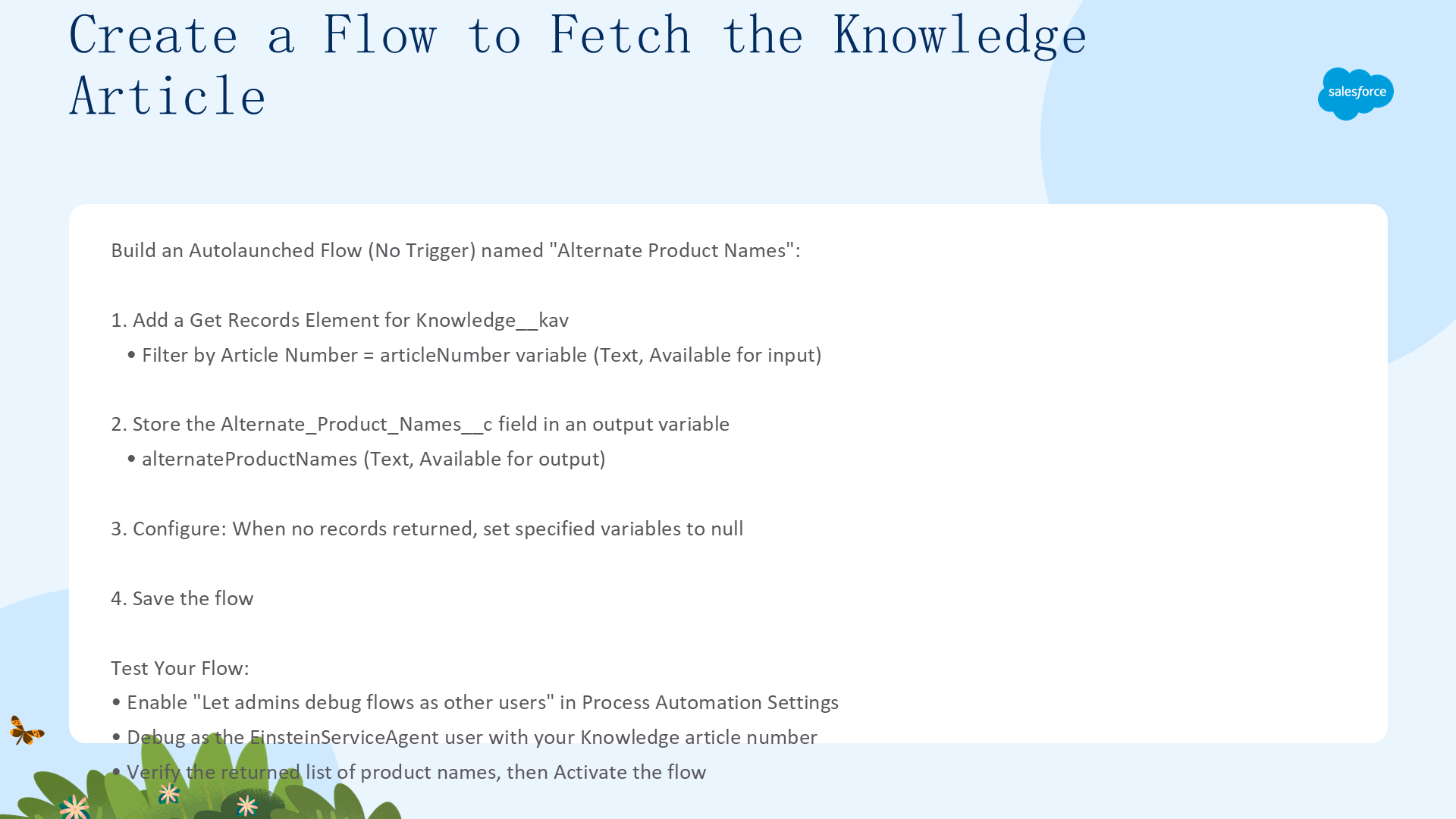
创建一个 Auto-launched Flow(No Trigger),通过 Article Number 查询 Knowledge 文章并返回映射的产品名称。
Flow 构建步骤
- Setup → Flows → New Flow → 选择 Autolaunched Flow (No Trigger)
- 添加 Get Records 元素:
- Label: Get Knowledge Article by ID
- Object: Knowledge (Knowledge__kav)
- Condition: Article Number Equals → 新建 Resource(Variable, API Name:
articleNumber, Data Type: Text, Available for input) - Store Record Data: Choose fields and assign variables (advanced)
- Field: Alternate_Product_Names__c → 新建 Variable(API Name:
alternateProductNames, Data Type: Text, Available for output) - When no records are returned: Set specified variables to null
- Save Flow: Name = "Alternate Product Names",点击 Activate
调试 Flow(以 Agent 用户身份)
- Setup → Process Automation Settings → 勾选 Let admins debug flows as other users
- 在 Flow Builder 中点击 Debug → Run as another user → 选择 EinsteinServiceAgent User
- 输入 Article Number → Run → 展开 Details 查看返回的产品名称列表
- 如果以 EinsteinServiceAgent 身份运行失败,切换到你的用户重试 —— 这通常表示权限问题
更新 Agent:变量、动作和指令
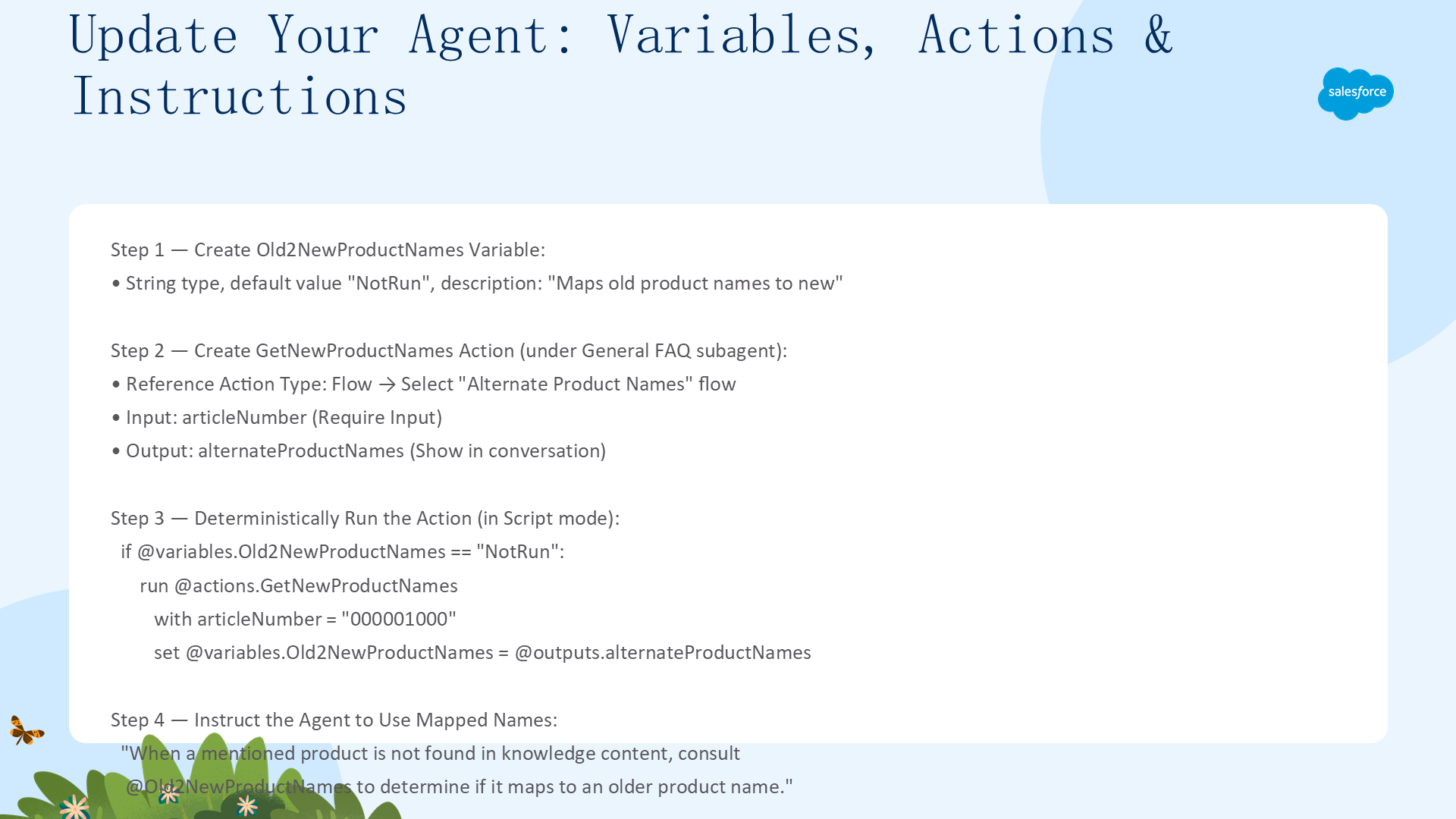
创建 Old2NewProductNames 变量
- Agent Explorer → Variables → New → Create Custom Variable
- Name:
Old2NewProductNames, Data Type: String, Default Value:NotRun - Description: Maps the old product names to the new product names.
使用默认值 NotRun 作为哨兵值(sentinel value),后续通过条件判断确保动作只执行一次。
创建 GetNewProductNames 动作
- Explorer → Subagents → General FAQ 旁的 + → Create New Action
- Action Name:
GetNewProductNames, Description: Get the new names for products. - Reference Action Type: Flow
- Reference Action: 选择 Alternate Product Names Flow
- Inputs: articleNumber → Require Input to execute action
- Outputs: alternateProductNames → Show in conversation
确定性运行动作(只运行一次)
切换到 Script 模式,在 GeneralFaq 子代理的 instructions: -> 下方插入:
if @variables.Old2NewProductNames == "NotRun":
      run @actions.GetNewProductNames
         with articleNumber = "000001000"     # 替换为你的 Knowledge Article Number
         set @variables.Old2NewProductNames = @outputs.alternateProductNames
更新推理指令
在 Canvas 视图中,在 General FAQ 的推理指令末尾添加:
Product names have changed. Customers might use a new product name in their questions.
When a mentioned product is not found in the knowledge content, consult
{!@variables.Old2NewProductNames} to determine whether it maps to an older product name.
If a mapping exists, use the older product name when searching knowledge articles.
点击 Save 保存。此模式使用了三个 Agent Script 最佳实践:
- 检索前获取数据(Fetch Data Before Reasoning):Flow 在 Prompt 发送给 LLM 之前运行,确保 Agent 始终拥有最新的术语映射
- 条件判断(Conditionals):
if Old2NewProductNames == "NotRun"确保动作只执行一次,减少处理开销和潜在成本 - 哨兵值(Sentinel Value):用默认值 "NotRun" 判断变量是否已被赋值,比检查 null/空字符串更可靠
测试并验证术语映射方案
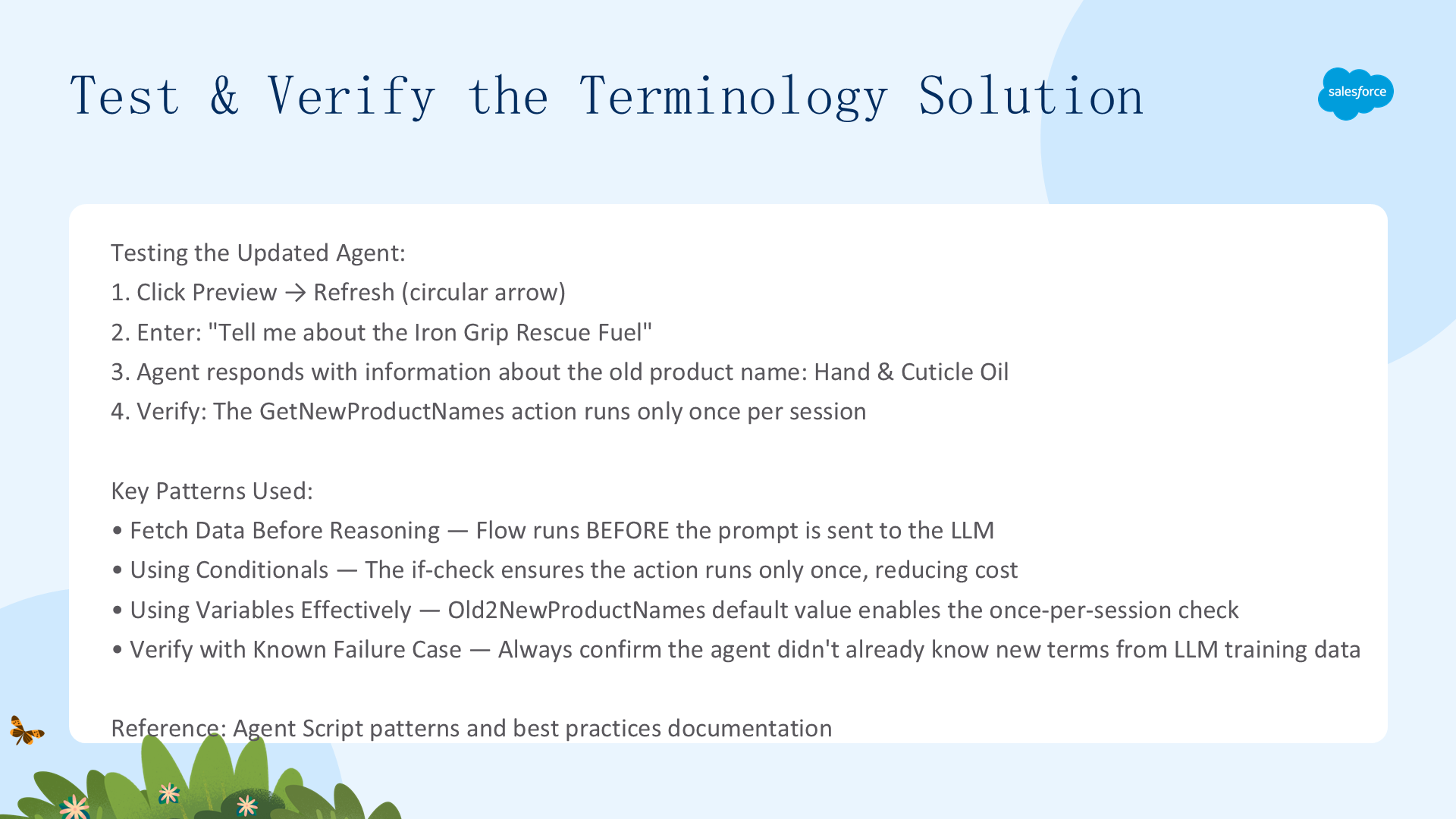
测试步骤
- 点击 Preview → Set Context 旁点击 Refresh(刷新会话上下文)
- 输入:
Tell me about the Iron Grip Rescue Fuel - Agent 应该返回基于旧产品名称(Hand & Cuticle Oil)的知识库信息
- 在 Interaction Summary 中确认 GetNewProductNames 动作只执行了一次
模式回顾
| 模式 | 在脚本中的使用 |
|---|---|
| 检索前获取数据 | Flow 在 LLM 推理之前运行,确保 Agent 拥有最新的产品名映射 |
| 条件判断 | if Old2NewProductNames == "NotRun" 确保动作只执行一次 |
| 有效使用变量 | Old2NewProductNames 的默认值 "NotRun" 作为哨兵值 |
| 验证失败案例 | 实施前用新名称测试,确认 Agent 确实需要术语映射 |
Agent Script 示例:使用变量强制子代理排序
在多轮对话中,使用步骤变量(Step Variable)确保 Agent 严格按预定义顺序执行工作流。Agent 路由器根据步骤变量的当前值选择子代理;子代理内部由 LLM 评估客户回答质量,然后设置下一步的步骤变量值。
示例场景:面试筛选 Agent(InterviewAgent)
一个自动化面试筛选 Agent,按顺序询问以下问题:
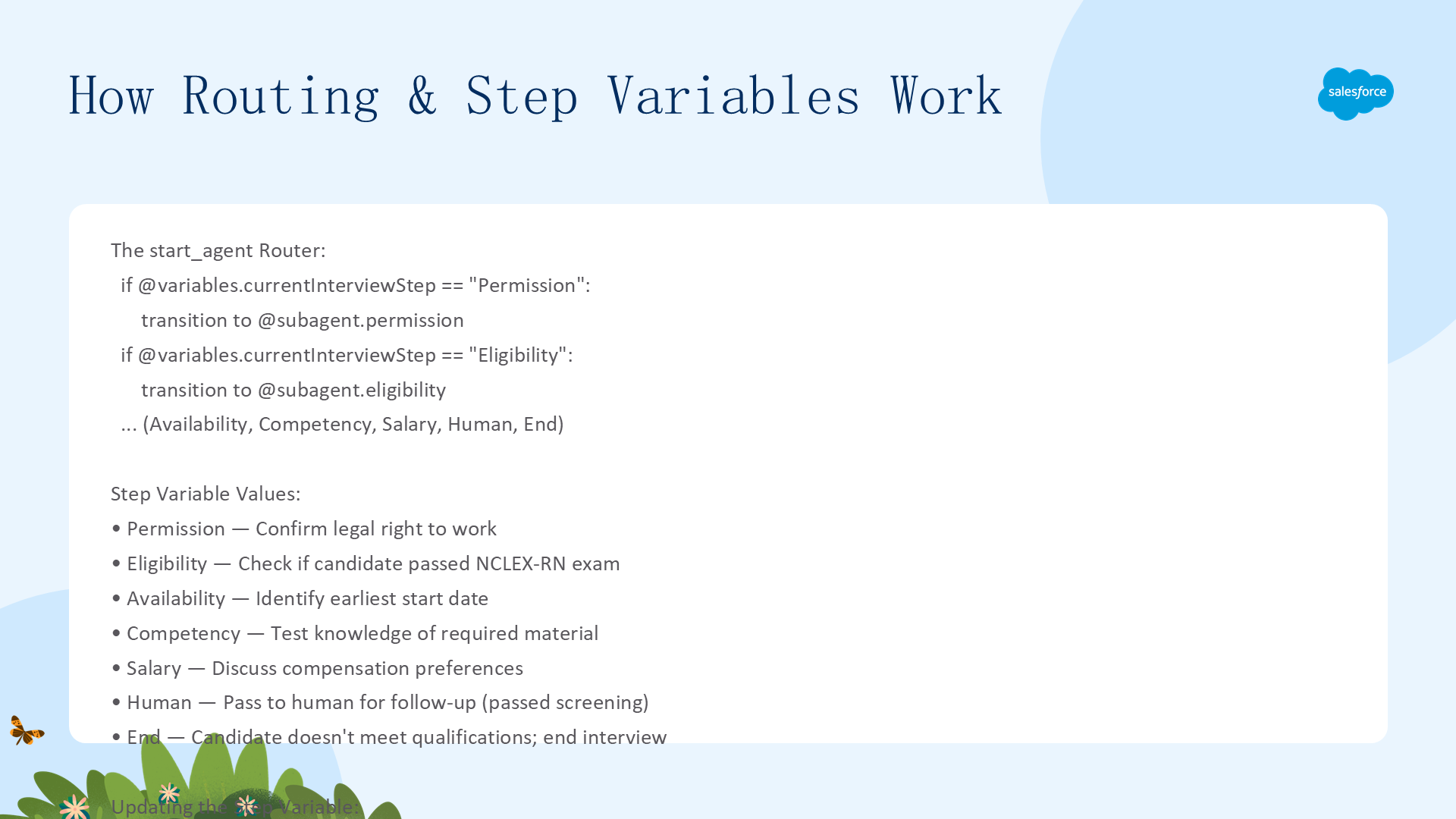
- Permission(工作许可):确认候选人是否有合法工作权
- Eligibility(资格):是否通过 NCLEX-RN 考试
- Availability(可入职时间):最早的开始日期
- Competency(能力):关于《爱丽丝梦游仙境》的问题
- Salary(薪资):薪资期望和补偿偏好
- Human(转人工):候选人通过筛选,移交真人 HR
- End(结束):候选人不符合条件,终止面试
后续问题可能取决于前一个问题的回答。不符合条件的回答(如没有工作许可)直接终止面试。
何时使用步骤变量模式
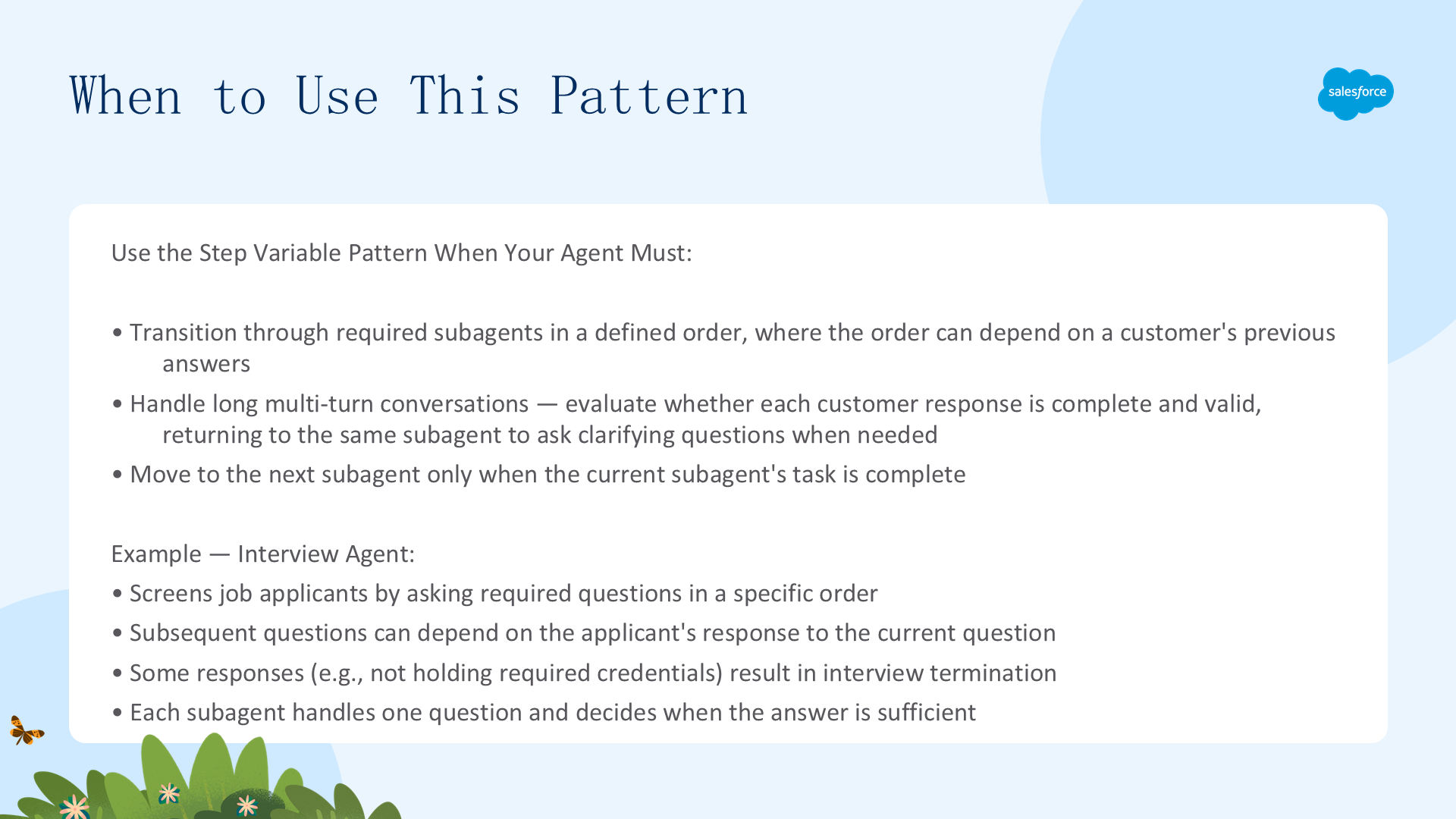
此模式适合以下场景
- 需要在定义的顺序中通过多个子代理完成流程
- 子代理的执行顺序可能取决于客户之前的回答(条件分支)
- 需要处理长多轮对话,评估每个客户回答是否完整有效
- 仅在当前子代理任务完成后才转移到下一个子代理(防止跳步)
- 某些回答可能导致提前终止流程(如不合格 → 结束面试)
此模式不适合以下场景
- 工作流是线性的、不可变的 —— 直接用 Transition 链即可,不需要步骤变量
- 子代理之间没有依赖关系 —— 用自由路由更简单
- 对话轮数很少(1-2 轮)—— 步骤变量的开销不划算
路由和步骤变量的工作原理
Router 实现
start_agent agent_router 作为状态机,根据 currentInterviewStep 的值跳转:
start_agent agent_router:
    label: "Agent Router"
    description: "Welcome the user and determine the appropriate subagent based on user input"
    reasoning:
        instructions: ->
            if @variables.currentInterviewStep == "Permission":
                transition to @subagent.permission
            if @variables.currentInterviewStep == "Eligibility":
                transition to @subagent.eligibility
            if @variables.currentInterviewStep == "Availability":
                transition to @subagent.availability
            if @variables.currentInterviewStep == "Competency":
                transition to @subagent.competency
            if @variables.currentInterviewStep == "Salary":
                transition to @subagent.salary
            if @variables.currentInterviewStep == "Human":
                transition to @subagent.human
            if @variables.currentInterviewStep == "End":
                transition to @subagent.end
子代理更新步骤变量
每个子代理在评估客户回答后,通过 @utils.setVariables 设置下一步:
subagent eligibility:
    label: "Eligibility"
    description: "Ask if the candidate has passed their NCLEX-RN exam."
    reasoning:
        instructions: ->
            | Ask the candidate whether they have passed the NCLEX-RN exam.
              Request a simple yes or no response and the year passed.
              If the candidate HAS passed, call {!@actions.setCurrentInterviewStep}
              with currentInterviewStep set to "Availability".
              If the candidate has NOT passed, call {!@actions.setCurrentInterviewStep}
              with currentInterviewStep set to "End".
        actions:
            setCurrentInterviewStep: @utils.setVariables
                description: "Set the CurrentInterviewStep variable"
                with currentInterviewStep = ...
关键机制
- LLM 可以决定不改变步骤变量:如果客户没有完整回答问题,Agent 不会推进到下一步,而是继续在当前子代理中追问 —— 这实现了"回答验证"闭环
- 条件分支:同一个子代理可以根据客户回答设置不同的下一步(如合格→下一步 vs 不合格→结束)
- Router 无状态逻辑:Router 本身不做决策,只是纯路由 —— 所有业务逻辑都在子代理内部
动手实践与相关资源
下载并运行 Interview Agent
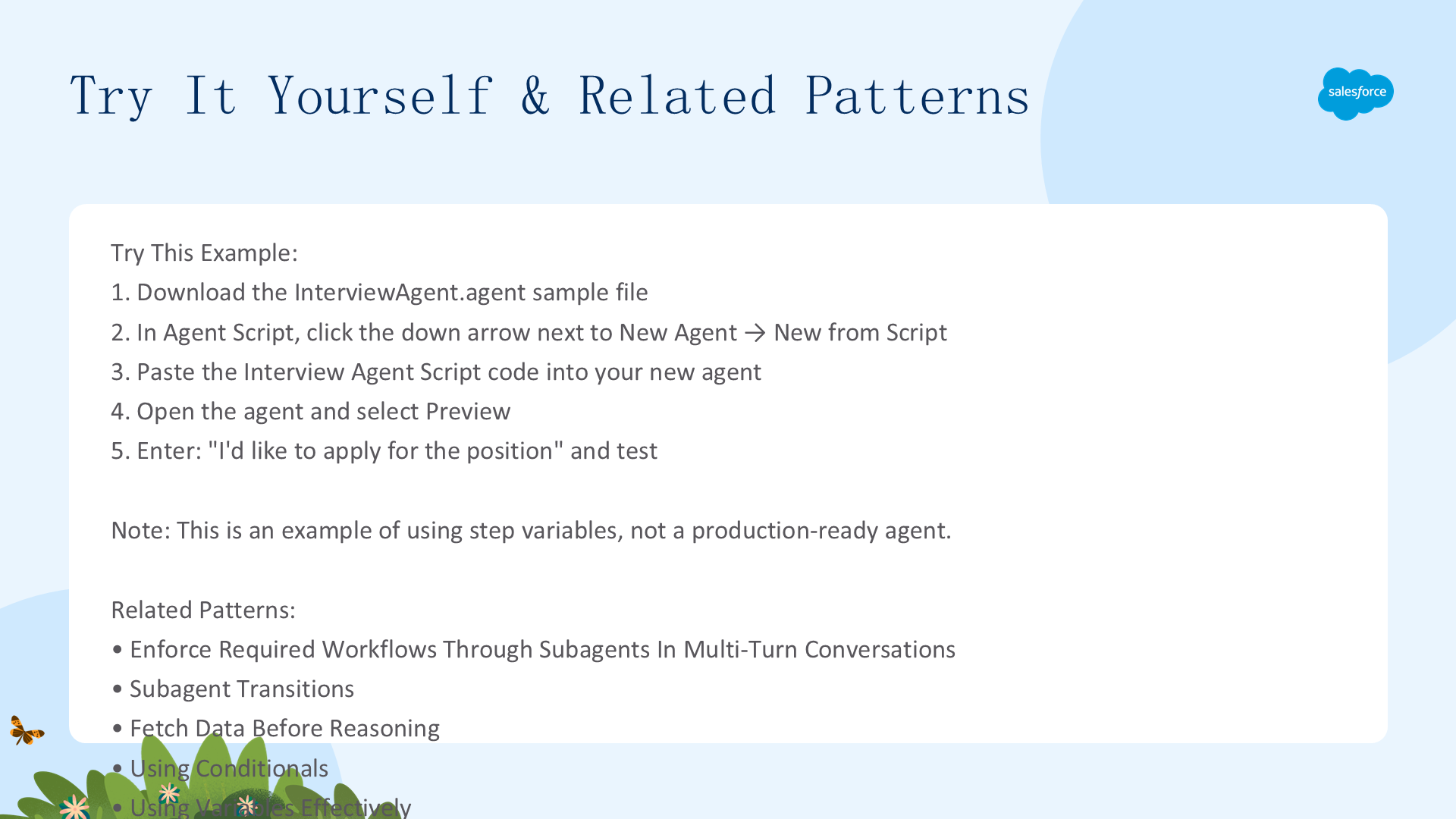
- 下载 InterviewAgent.agent
- 在 Agentforce Builder 中,点击 New Agent 旁的下拉箭头 → New from Script
- 粘贴完整脚本代码,打开 Agent
- 点击 Preview,输入
I'd like to apply for the position开始测试
重要:此 Agent 仅作为步骤变量使用模式的示例演示,不是生产就绪的 Agent。注意每个 Agent 需要唯一的 developer_name,如果你基于此示例创建多个 Agent,记得更改 developer name。如果在 Agentforce Builder 中遇到脚本最后一行的意外错误,在末尾添加一个空行或注释。
相关模式参考
- 模式:在多轮对话中通过子代理强制执行必需的工作流
- 模式:子代理跳转(Subagent Transitions)
- 模式:检索前获取数据(Fetch Data Before Reasoning)
- 模式:条件判断(Using Conditionals)
- 模式:有效使用变量(Using Variables Effectively)
以上四个示例覆盖了 Agentforce 开发的核心场景:Apex 动作集成、多子代理协作、知识库增强检索、状态机工作流。建议按顺序逐个实践。