使用 Agentforce DX 测试 Agent
测试 Agent 即向它发送问题、陈述或指令(utterance,发言),然后验证 Agent 的响应是否符合预期。
注意:本节描述传统的 Agent 测试流程(Legacy Testing Center 的 Pro-Code 等效方式)。新版 Agentforce Studio Testing Center (Beta) 的文档即将发布。
Pro-Code Agent 测试流程
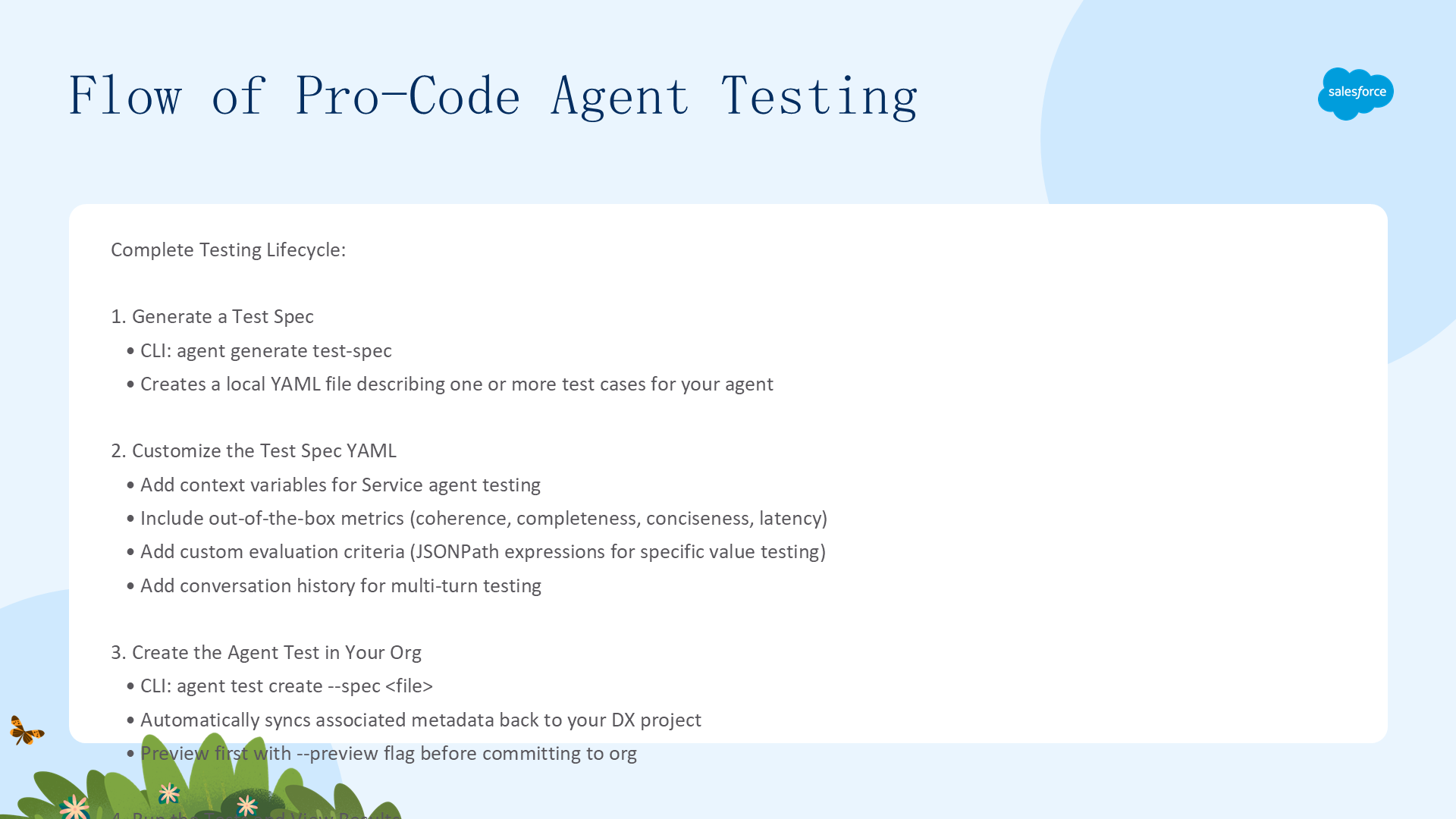
Agentforce DX 测试是使用 Testing Center UI 的 Pro-Code 等效方式。与其他软件开发一样,Agent 测试是一个迭代过程:
- 生成 Test Spec:
sf agent generate test-spec生成本地 YAML 测试规格文件 - 自定义 Test Spec:添加上下文变量、质量指标、自定义评估、对话历史
- 创建 Agent 测试:
sf agent test create在开发 Org 中创建测试(自动同步元数据回 DX 项目) - 运行测试:
sf agent test run运行并查看结果 - 失败的测试:用 VS Code Preview 面板或
agent preview对话式调试,配合 Apex Replay Debugger - 迭代完善:重复调整直到测试通过,将测试加入 CI 系统确保持续正确
自定义 Agent Test Spec
运行 agent generate test-spec 生成的测试规格已经不错,但可以通过手动编辑 YAML 文件添加更多测试项。
上下文变量与质量指标
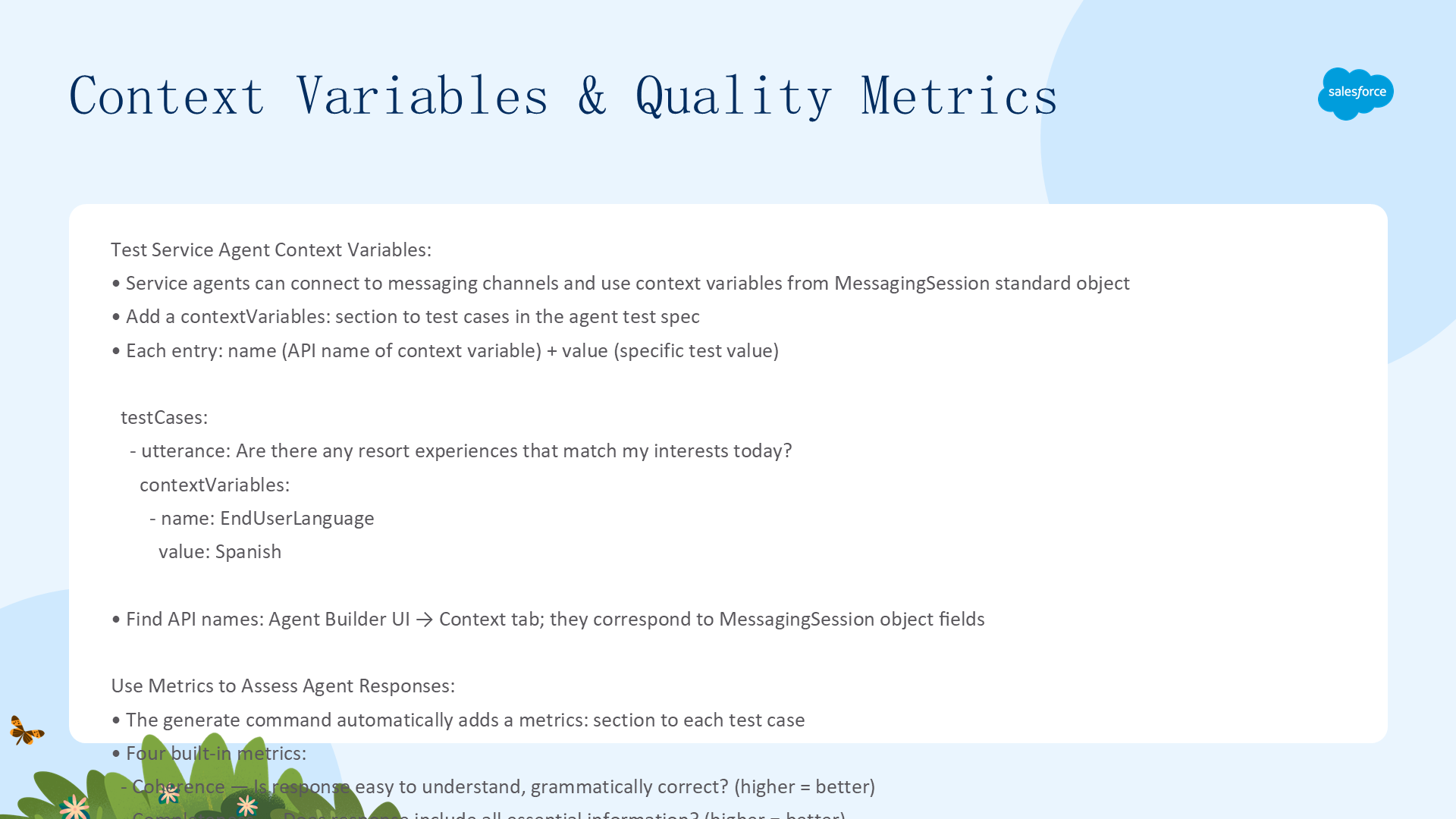
Service Agent 上下文变量
如果你的 Service Agent 配置了 Enhanced Messaging 通道的上下文变量(如 EndUserLanguage),可以添加 contextVariables: 节来测试它们。Context Variable 的 API 名称对应 MessagingSession 标准对象的字段名:
testCases:
  - utterance: Are there any resort experiences today?
    expectedTopic: Experience_Management
    expectedActions: []
    expectedOutcome: The agent should politely ask for guest email.
    contextVariables:
      - name: EndUserLanguage
        value: Spanish
质量评估指标(Metrics)
命令自动在生成的 spec 中添加四个开箱即用的指标:
- Coherence(连贯性):响应是否易于理解、无语法错误
- Completeness(完整度):响应是否包含所有必要信息
- Conciseness(简洁性):响应是否简洁而全面(越短越好)
- Output Latency(输出延迟):从发送请求到收到响应的毫秒数
如不需要某指标,从 YAML 中删除对应行或整个 metrics: 节即可。
自定义评估与对话历史
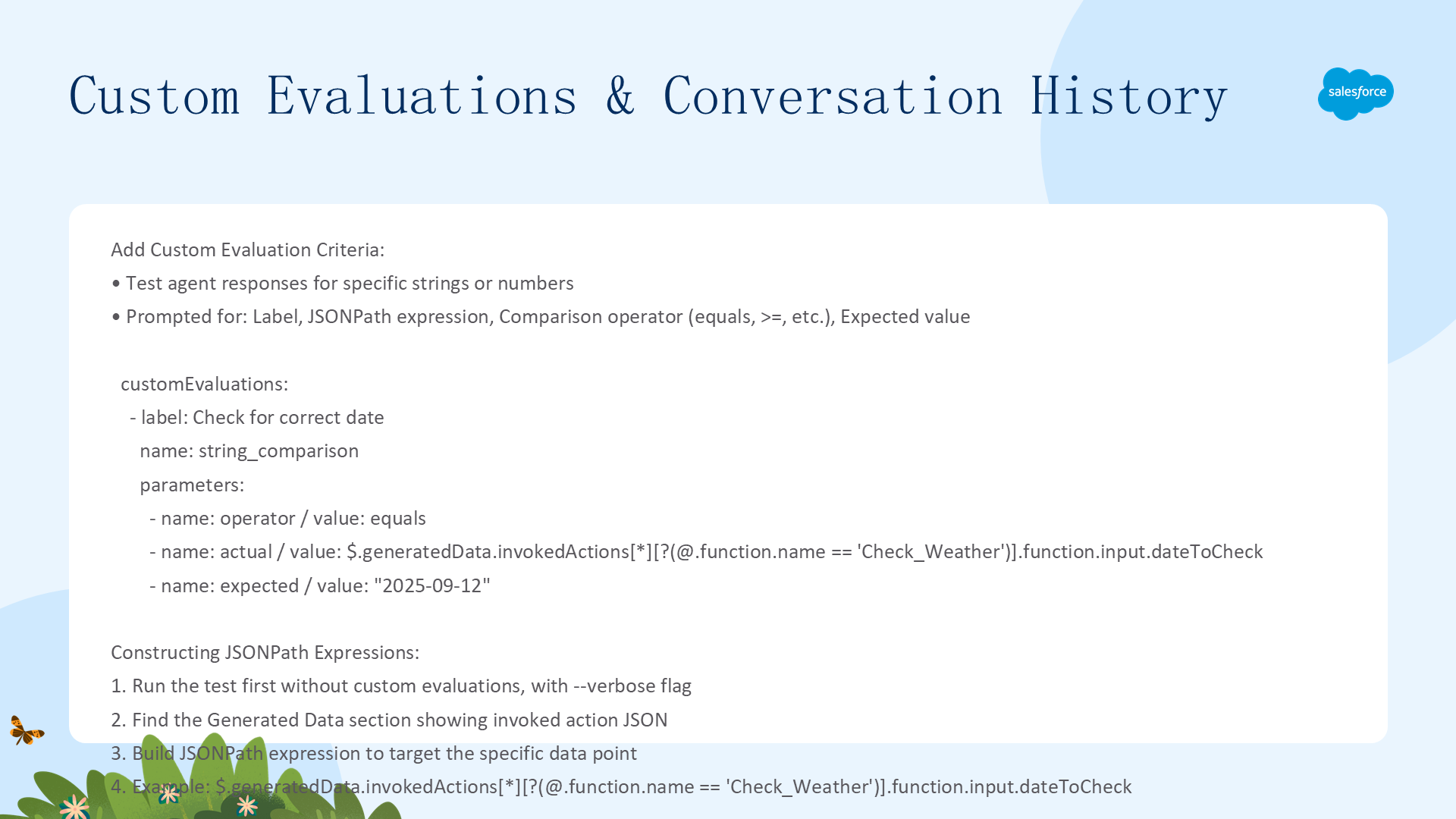
自定义评估(Custom Evaluations)
测试 Agent 响应中的特定字符串或数值。需要提供:Label(描述性名称)、JSONPath 表达式(指向要测试的数据)、比较运算符(equals/greater than 等)、期望值。
customEvaluations:
  - label: Check for correct date
    name: string_comparison
    parameters:
      - name: operator
        value: equals
      - name: actual
        value: $.generatedData.invokedActions[*][?(@.function.name=='Check_Weather')].function.input.dateToCheck
        isReference: true
      - name: expected
        value: "2025-09-12"
构建 JSONPath:先用 --verbose 运行测试获取 Generated Data JSON → 找到目标动作 → 构建路径(如 $.generatedData.invokedActions[*][?(@.function.name=='X')].function.input.field)。
对话历史(Conversation History)
添加多轮对话上下文,支持多轮测试而非单次 utterance-response。生成 spec 时回答 Y 即自动添加模板。也可手动添加 role-message 对(user/agent),agent 消息必须包含 topic:
conversationHistory:
  - role: user
    message: I purchased an item last week but it hasn't arrived yet.
  - role: agent
    message: What is your order ID?
    topic: Ask_for_Order_ID
  - role: user
    message: It's 123456.
从 Spec 文件创建 Agent 测试
在创建测试之前,必须先将 Agent 发布到 Org。
预览与创建 Agent 测试
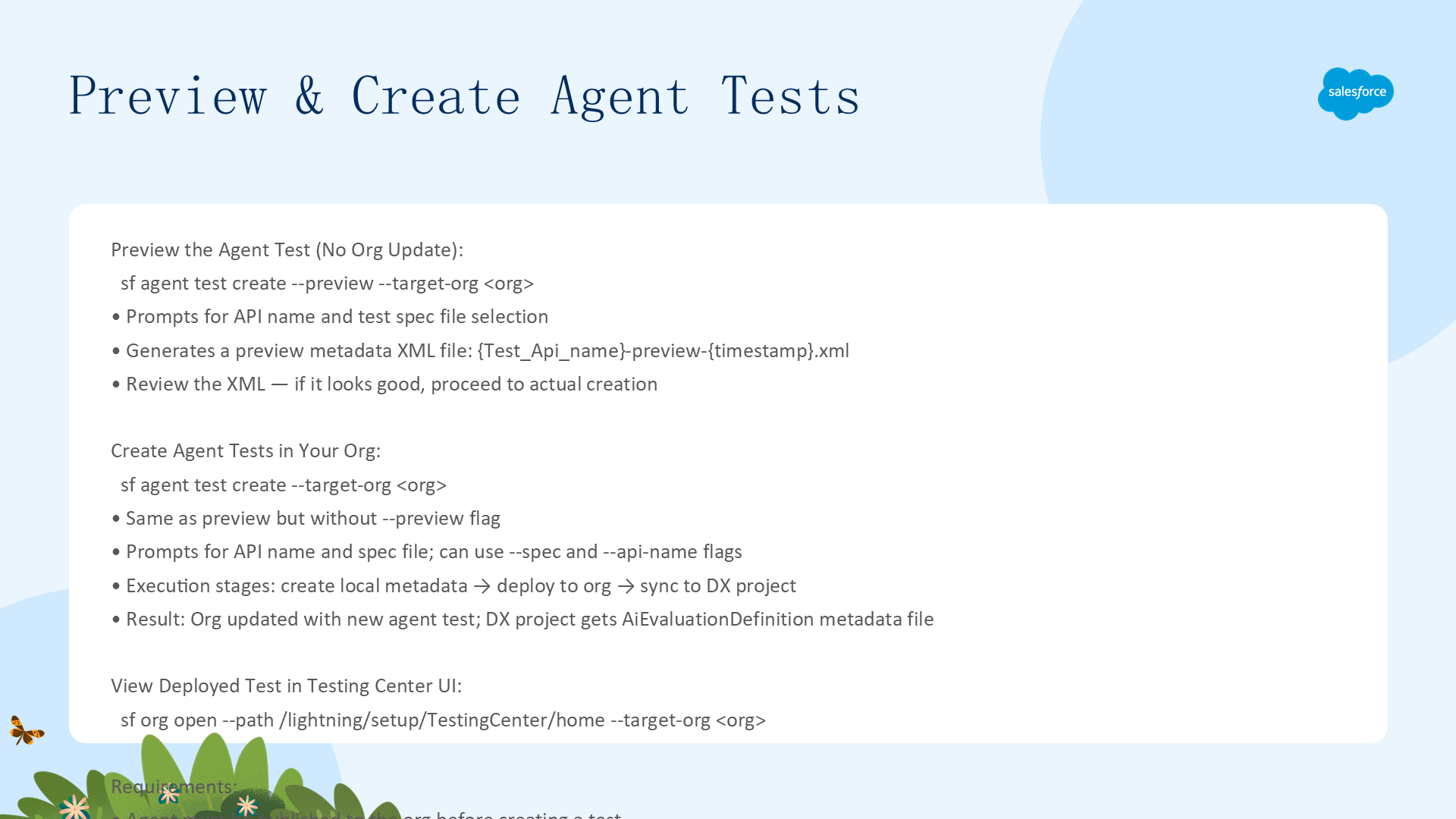
先预览(不更新 Org)
sf agent test create --preview --target-org my-org
# 生成本地 AiEvaluationDefinition XML 预览文件:{Test_Api_name}-preview-{timestamp}.xml
正式创建
sf agent test create --target-org my-org
# 或指定参数:
sf agent test create --spec specs/myTestSpec.yaml --api-name MyAgent_Test --target-org my-org
命令执行后:Org 中创建新测试 → 本地 DX 项目同步 AiEvaluationDefinition 元数据。通过以下命令在浏览器中查看 Testing Center:
sf org open --path /lightning/setup/TestingCenter/home --target-org my-org运行 Agent 测试
有四种运行方式:CLI 命令(最适合 CI)、VS Code Test 面板(开发时即时反馈)、Testing API(程序化测试)、Testing Center UI(点击式)。
CLI 运行命令
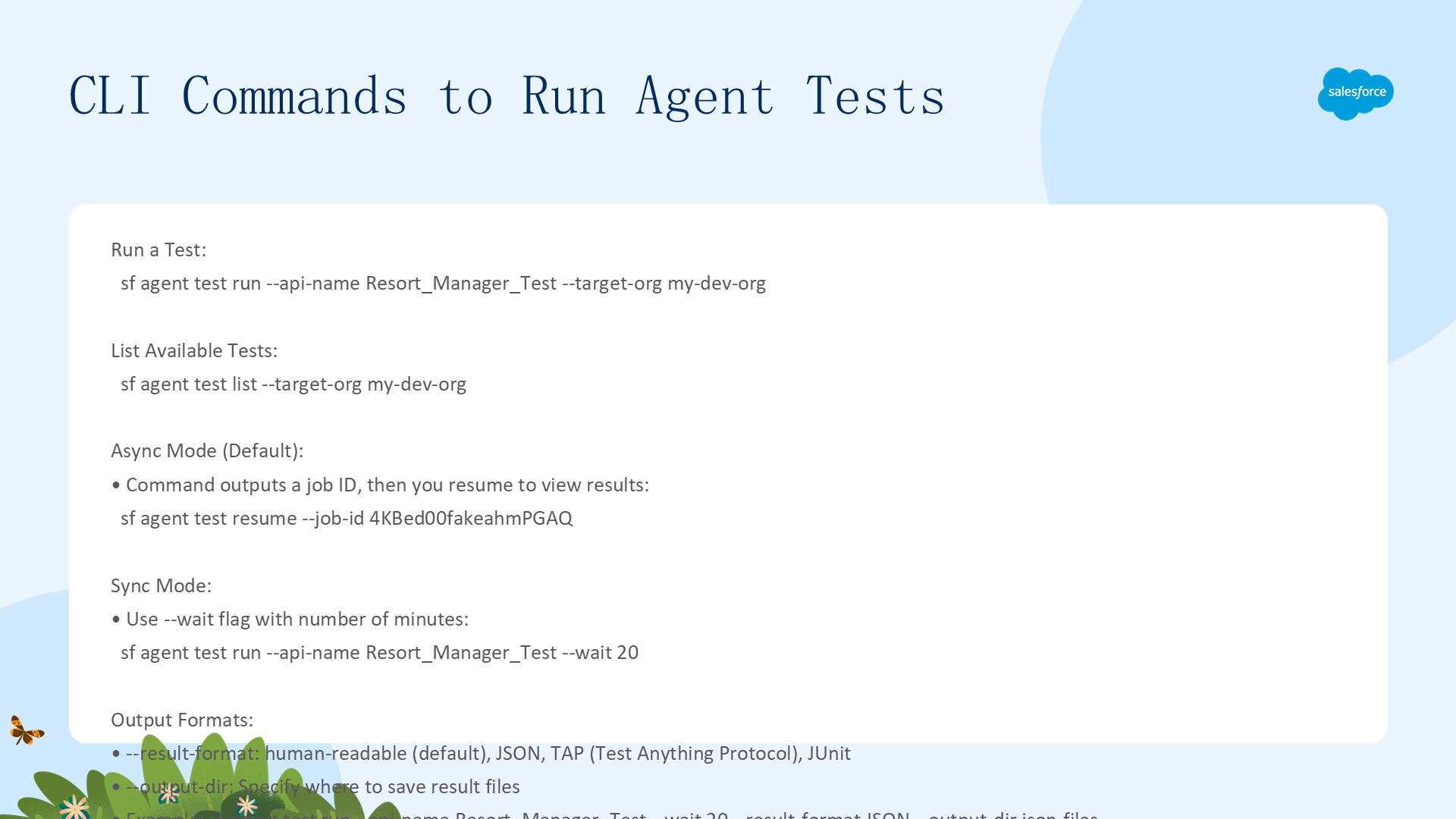
# 列出所有可用测试
sf agent test list --target-org my-dev-org

# 异步运行(输出 resume 命令,用 job ID 查看结果)
sf agent test run --api-name Resort_Manager_Test --target-org my-dev-org
sf agent test resume --job-id 4KBed00fakeahmPGAQ

# 同步运行(等待最多 20 分钟)
sf agent test run --api-name Resort_Manager_Test --target-org my-dev-org --wait 20

# 指定输出格式(JSON/TAP/Junit)和目录
sf agent test run --api-name Resort_Manager_Test --wait 20 --result-format JSON --output-dir json-files

# 查看已完成测试的结果
sf agent test results --job-id 4KBed00fakeahmPGAQ

# 详细输出(含 Generated Data JSON)
sf agent test run --api-name MyTest --verbose
理解 CLI 测试结果
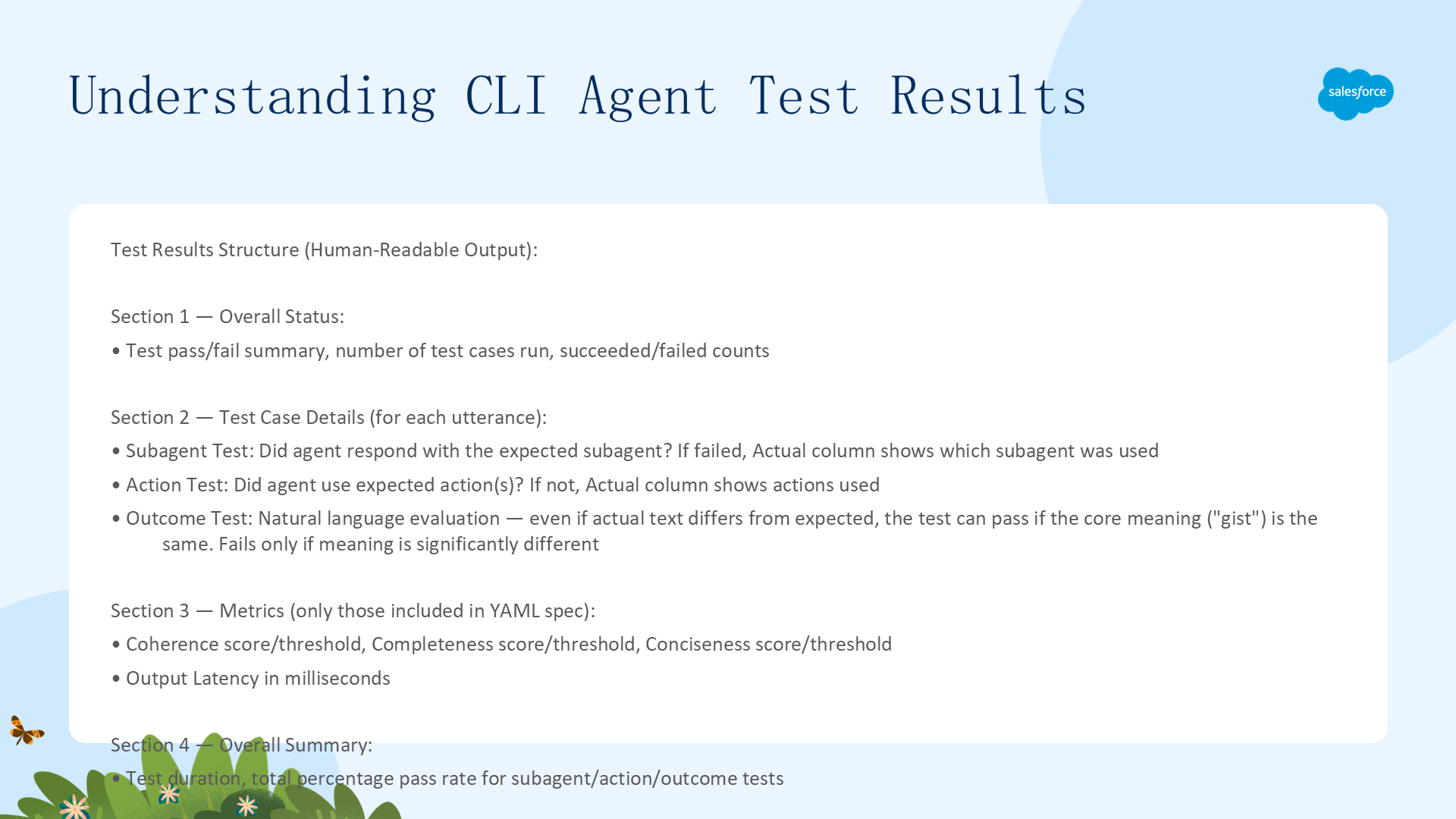
测试结果包含四个部分:
- 总体信息:测试状态、运行用例数、成功/失败数
- 测试用例详情:每个 utterance 的 Subagent 测试(Agent 是否用了正确的子代理)、Action 测试(是否用了预期动作)、Outcome 测试(最有趣——用自然语言评估实际 vs 期望,即使措辞不同,只要核心意思相同也能通过,但如果实际结果差异很大则失败)
- Metrics:Coherence/Completeness/Conciseness 的分数和阈值 + Output Latency(毫秒)
- 总结:测试时长、Subagent/Action/Outcome 的总通过率
VS Code 测试面板
点击 VS Code Activity Bar 的烧杯图标 → Agent Tests → 点击测试旁的箭头运行。要求 DX 项目包含 AiEvaluationDefinition 元数据(用 sf project retrieve start --metadata AiEvaluationDefinition 同步)。Output 面板显示结果,格式与 CLI 略有不同但信息相同。
Agent 测试是保证 Agent 质量的最后一道防线。建议将测试脚本纳入 CI/CD 流程,每次 Agent 变更后自动运行全量测试。